
People
Client Billing
Client profile → Billing5 steps
Written by Fahid Safdar, Founder & Product, Rostery · Checked
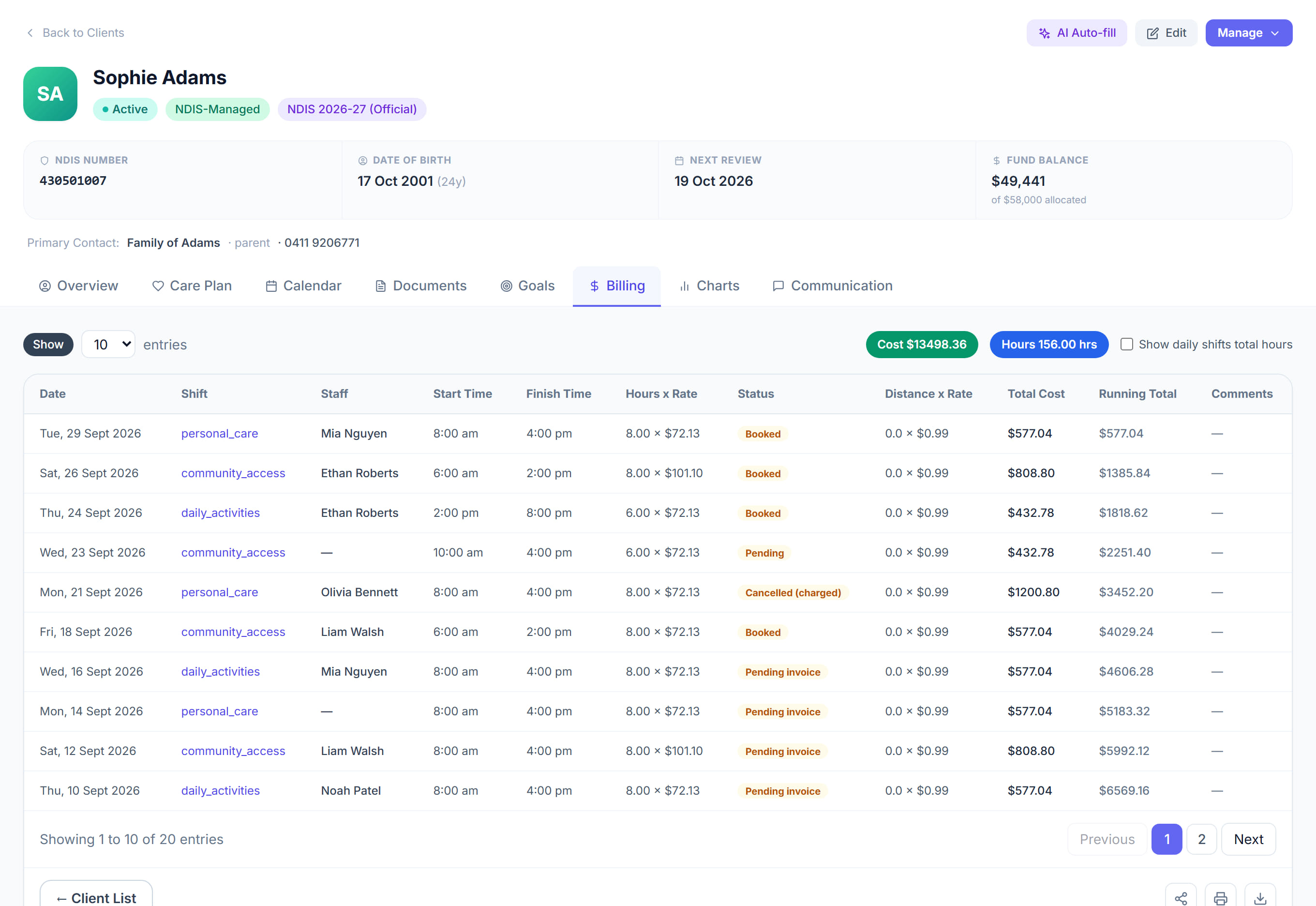
What this participant is charged and how. Rates that differ from the price book live here, with the invoices raised against them, so a billing question can be answered without leaving the profile.
Step by step
- 1
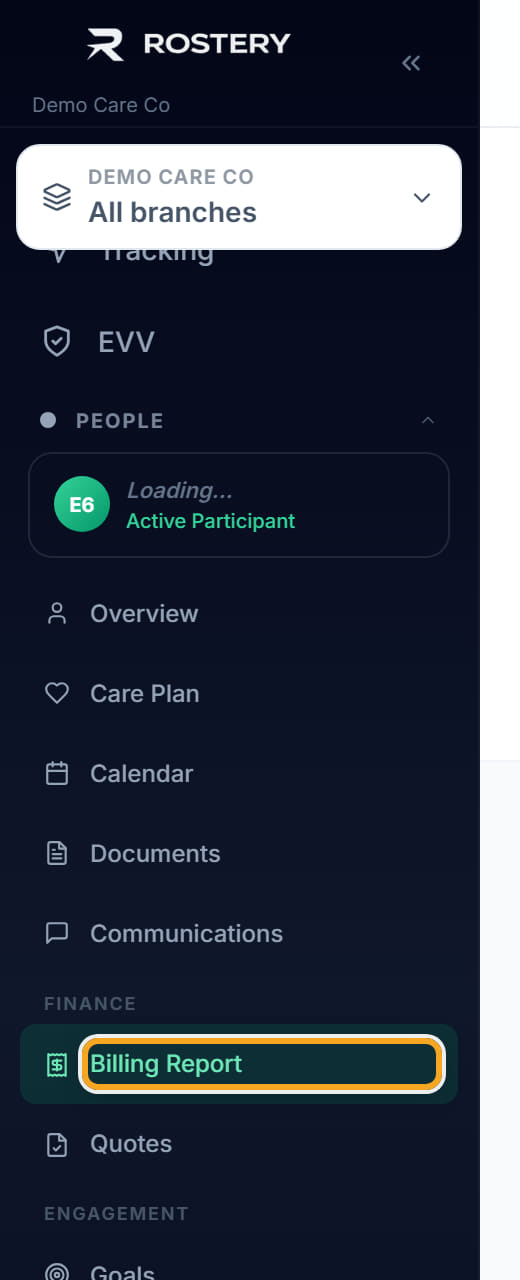
Open the participant and click the Billing tab.
- 2
Check how the plan is managed — agency, plan managed or self managed. It decides who receives the invoice.
- 3
Look at the rates. Blank means the price book rate applies, which is usually what you want.
- 4
Set a rate here only where this participant is genuinely charged differently, and record why.
- 5
Scroll to the invoices to see what has been raised and what has been paid.
The screen
Did this answer your question?
If not, talk to us — we answer from Australia, in business hours.