
People
Care Plan
The plan of support for this participant — what is delivered, how, and what a worker must know before they start. It is written for the person who will be on shift, not for the file.
Step by step
- 1
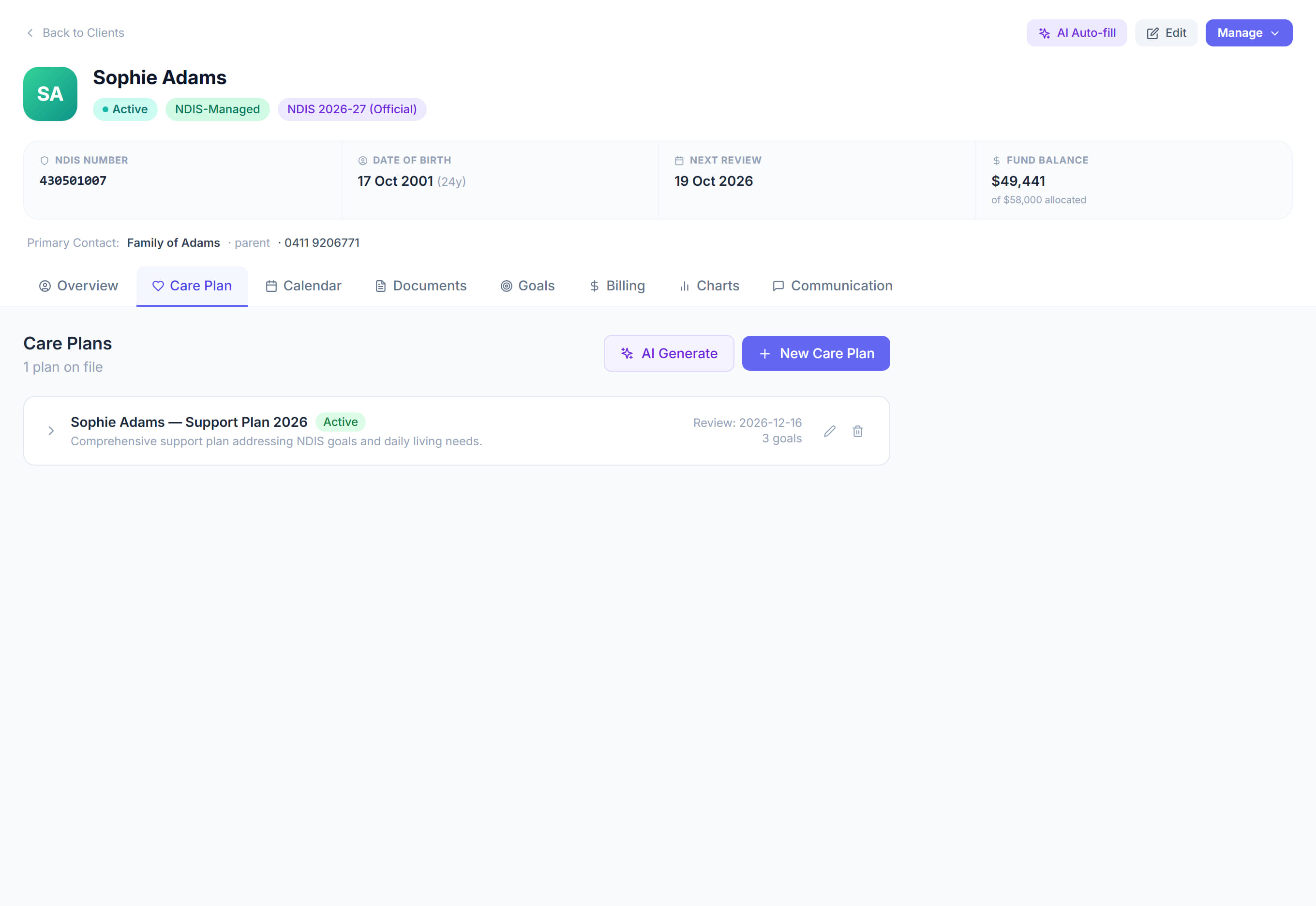
Open the participant and click the Care Plan tab.

- 2
Read the current plan. If there is none, the tab offers to start one.
- 3
Click Edit to change it, or add a section.
- 4
Write what a worker does, in the order they do it. Avoid clinical shorthand nobody on shift will recognise.
- 5
Put anything affecting safety where it will be read, not in a note at the bottom.
- 6
Save. The current plan is what the worker sees on their phone.
- 7
Set the Next Review Date on Overview so the plan does not quietly go stale.
The screen
Did this answer your question?
If not, talk to us — we answer from Australia, in business hours.