
Admin & Settings
Family Portal Settings
/settings/family-portal5 stepsWritten by Fahid Safdar, Founder & Product, Rostery · Checked
What a participant’s family can see when they are given access. It is a privacy decision as much as a configuration one, so the defaults are deliberately narrow.
Step by step
- 1
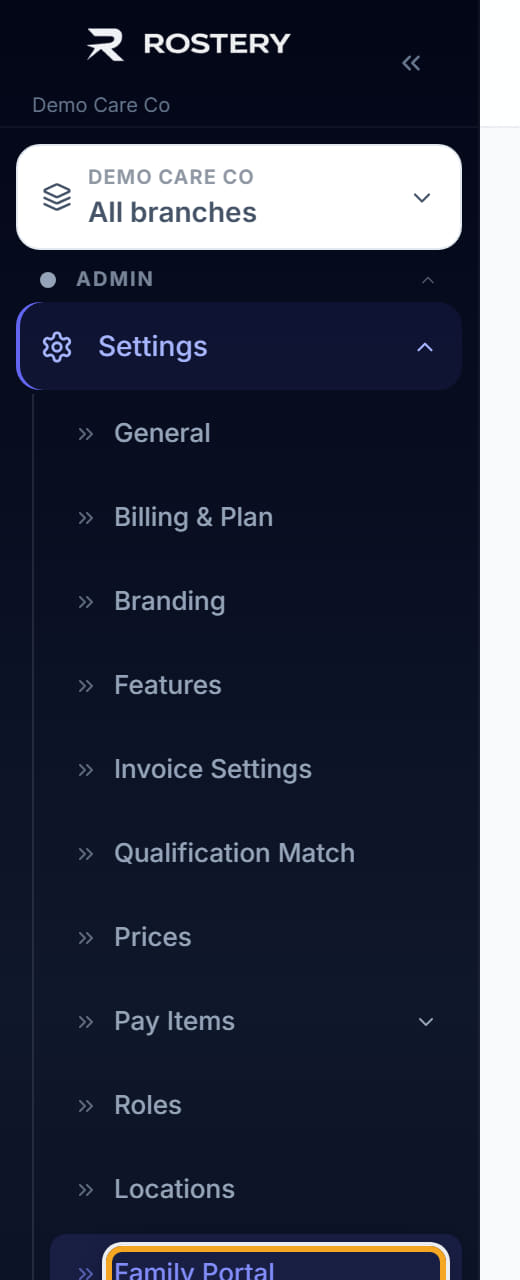
Open Settings, then Family Portal Settings.
- 2
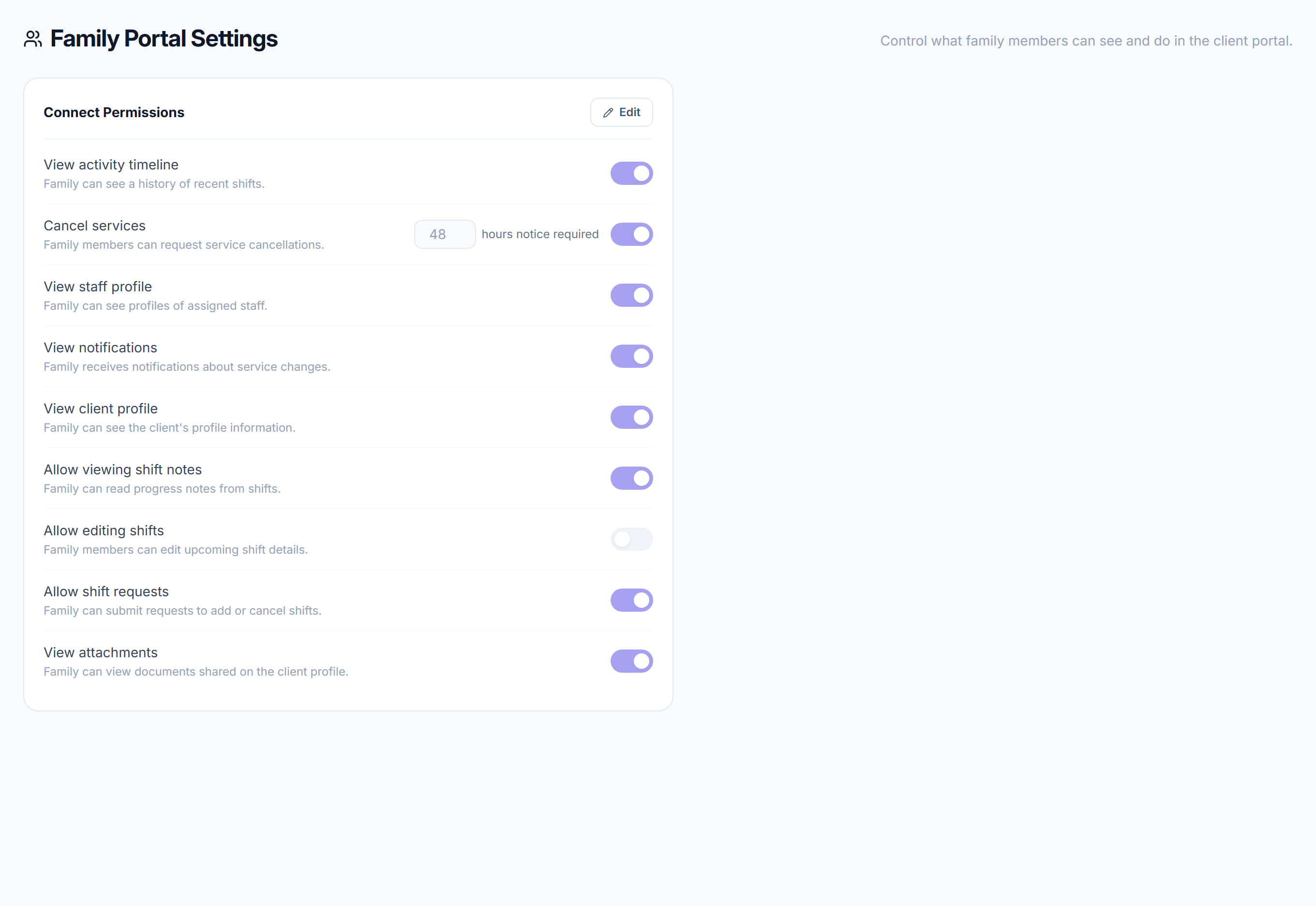
Click Edit on Connect Permissions.

- 3
Choose what the portal shows — the roster, notes, documents, invoices.
- 4
Turn off anything a family should not see by default. It can be opened up per participant afterwards.
- 5
Save.
The screen
Did this answer your question?
If not, talk to us — we answer from Australia, in business hours.