
Admin & Settings
Allowances
/settings/allowances7 stepsWritten by Fahid Safdar, Founder & Product, Rostery · Checked
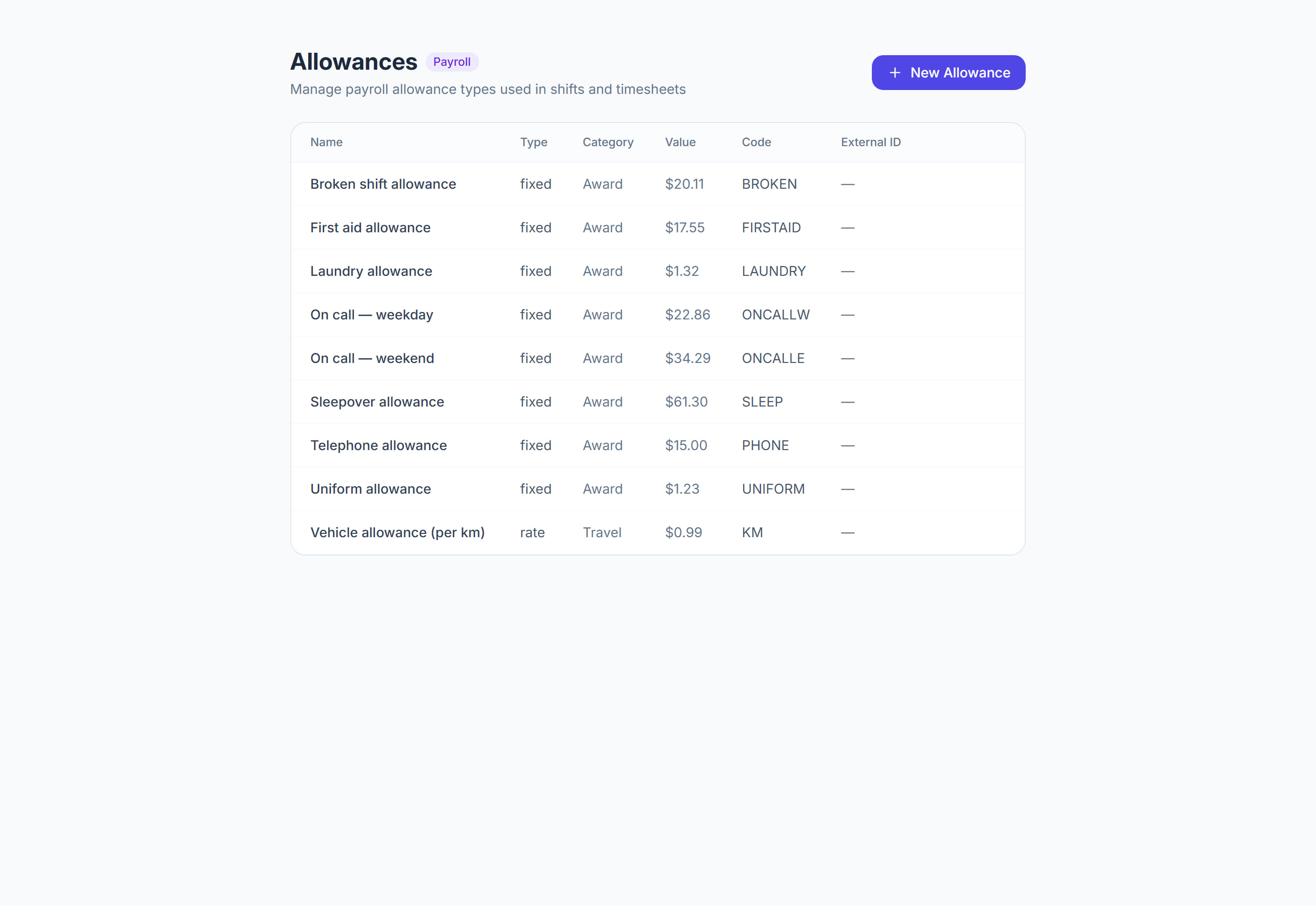
Amounts paid on top of the hourly rate — sleepover, laundry, a broken shift, a first aid allowance. The unit is the part that matters: an allowance can be per shift, per hour, per kilometre or per period, and that decides the arithmetic.
Step by step
- 1
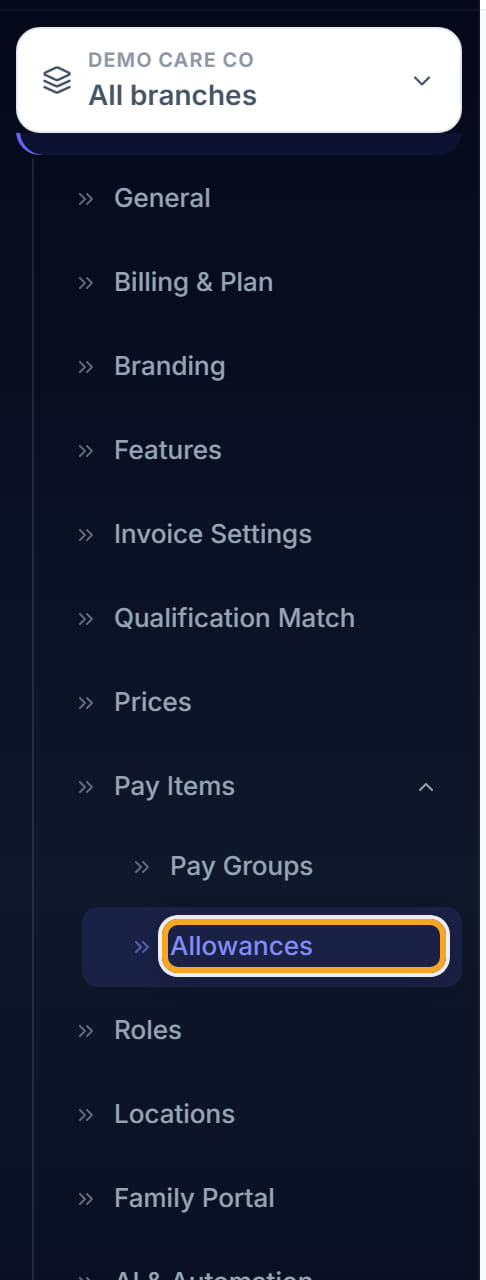
Open Settings, then Allowances.
- 2
Click New Allowance.

- 3
Name it as the award names it, so a payslip is checkable against the award.

- 4
Set the amount.
- 5
Set the unit — per shift, per hour, per kilometre or per period. Getting this wrong is the difference between paying somebody $20 and $20 an hour.
- 6
Say when it applies.
- 7
Save. Use EDIT and DELETE on the list to maintain them.
The screen
Did this answer your question?
If not, talk to us — we answer from Australia, in business hours.