
Plan Management
Registers
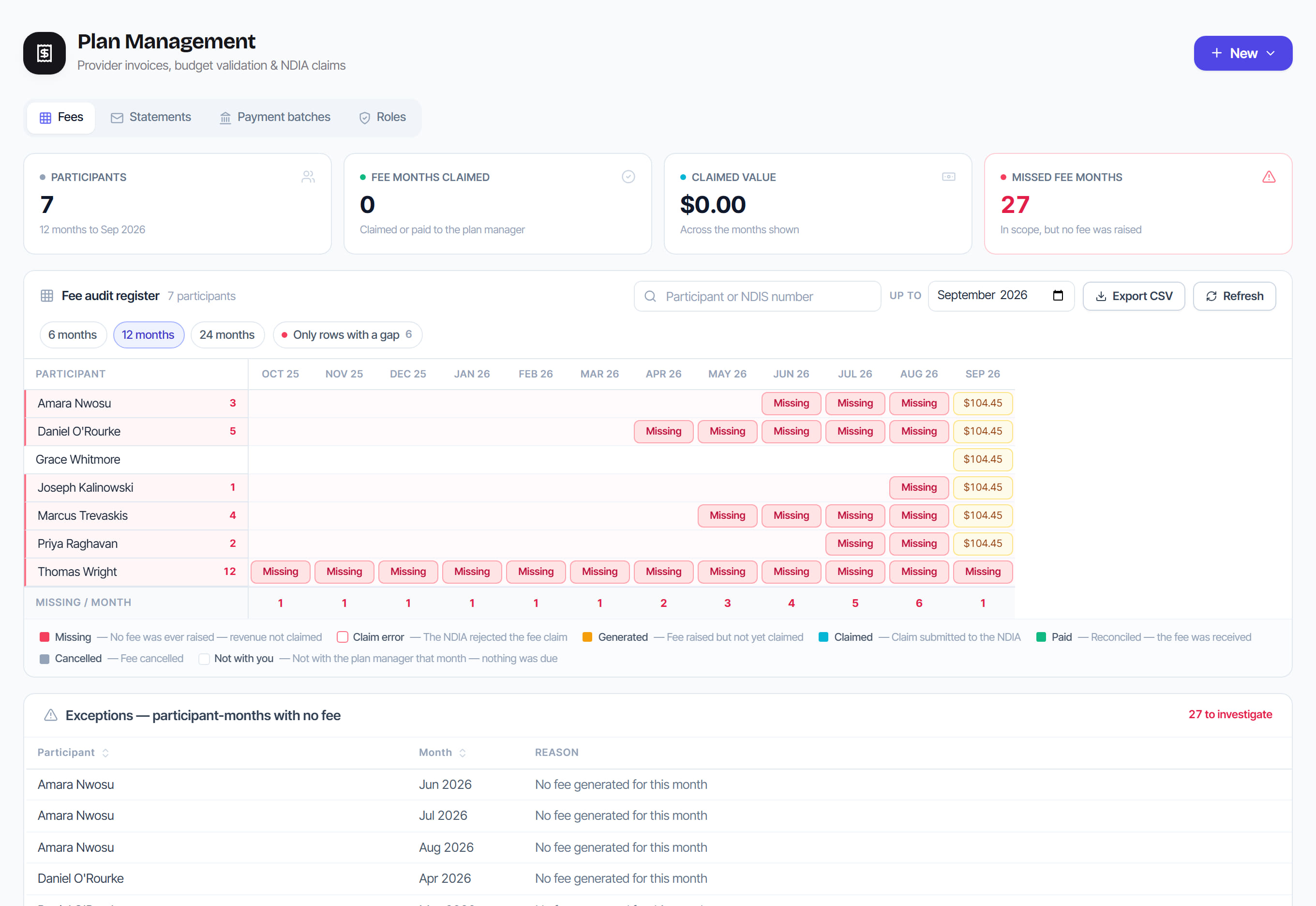
/plan-management?view=registers®=fees8 stepsThe evidence registers an auditor asks for: plan-management fees, participant statements, payment batches and plan-management roles. Plan managers, finance staff and administrators use them to find the one row that is wrong, such as a missed fee month or an unposted statement, and to export proof.
Step by step
- 1
Choose a register from the tabs: Fees, Statements, Payment batches or Roles. Each one loads when you open it.
- 2
Select Export CSV to download the rows the register is showing, after your search and filters, and add the file to your audit records.

- 3
On Fees, choose 6, 12 or 24 months and the Up to month, then select Only rows with a gap to see participant months with no fee raised.
- 4
On Statements, choose the Statement period to see participants with no statement, bounced emails and paper statements still waiting to be printed.
- 5
After printing and posting a paper statement, select Mark printed. This records who printed it and when, as evidence of the monthly obligation.
- 6
On Payment batches, filter by Awaiting release, Processed or Voided, then open a batch to see its payments, the invoices it settles and its ABA file check.
- 7
For a batch the bank has taken, enter the Bank batch reference and select Confirm bank processed. The invoices settle and remittance advice is emailed to providers.
- 8
On Roles, review Permissions by function, then set each person's plan-management role under Who has which role. Only an administrator can change roles.
The screen
Did this answer your question?
If not, talk to us — we answer from Australia, in business hours.