
Plan Management
Participants
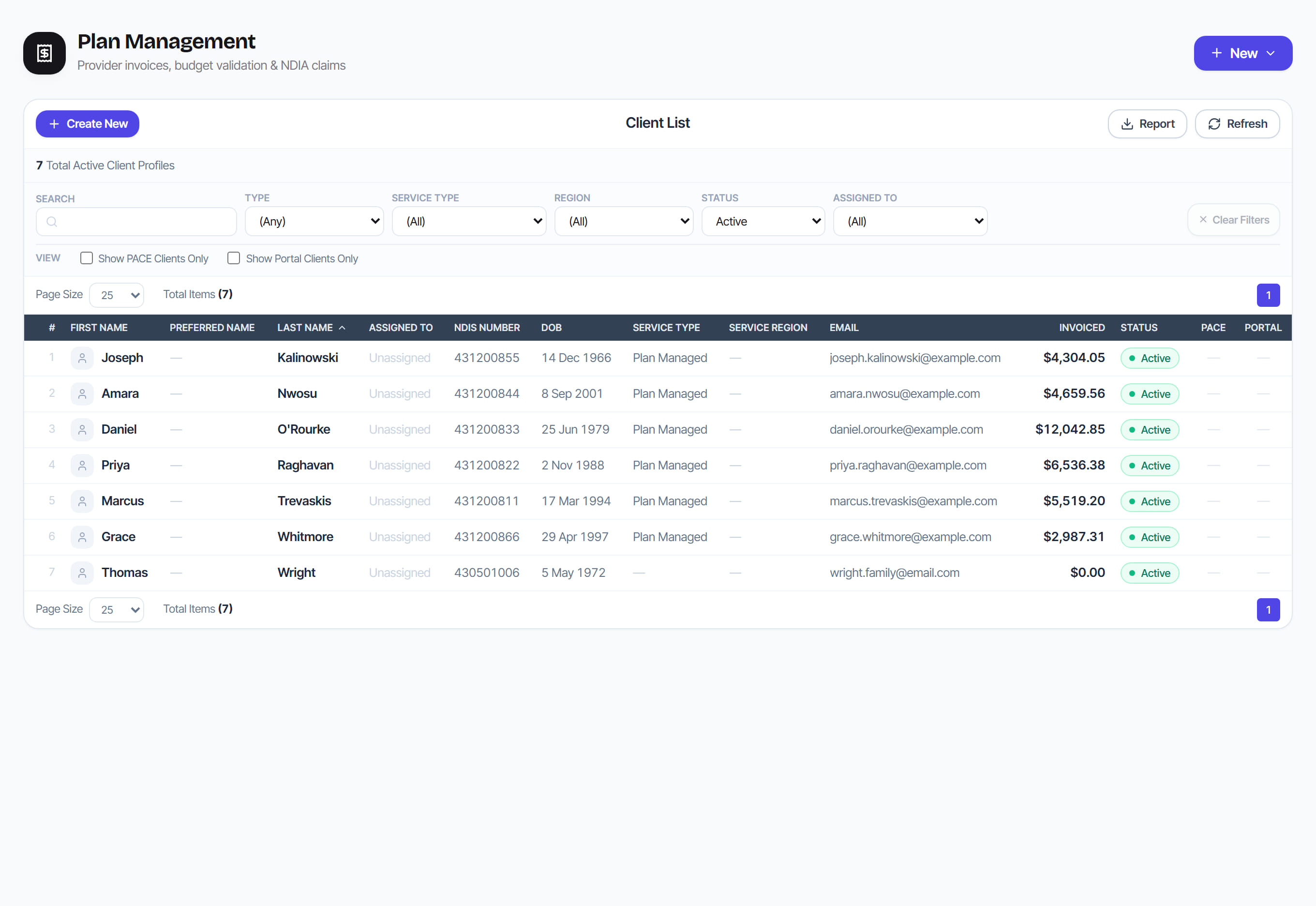
/plan-management?view=participants9 stepsThe Client List of plan-managed participants, with their NDIS number, service type, invoiced total and portal access. Plan managers use it to add participants, keep their details right for claiming, manage funding contracts and invite participants or nominees to the participant portal.
Step by step
- 1
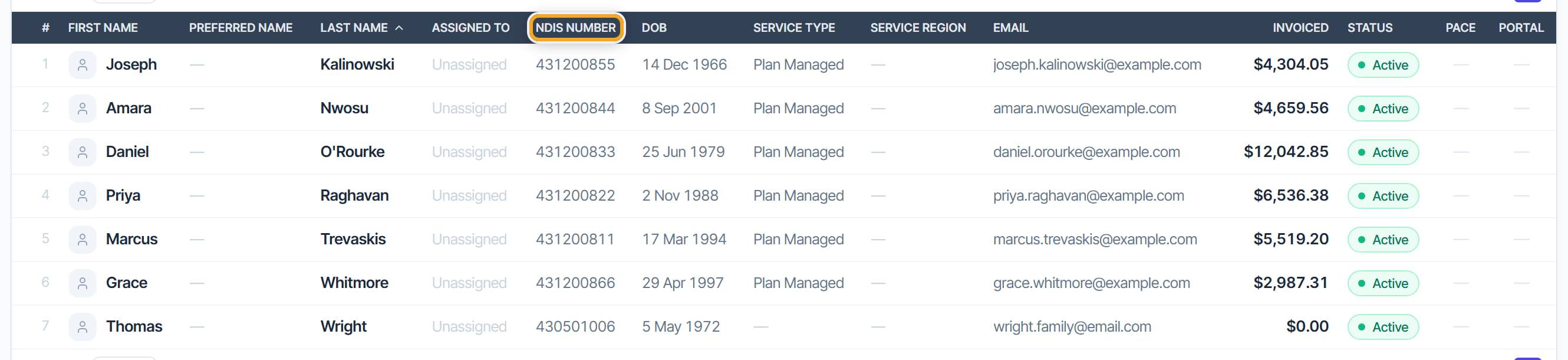
Check the NDIS Number column for each participant. It is column two of every claim line, and the claim file refuses any number that is not nine digits starting with 43.
- 2
Select Create New to add a participant. Enter their name, date of birth, NDIS number and client type, plus the first funding plan budget and dates, then select Create participant.
- 3
Use Search and the Type, Service Type, Region, Status and Assigned To filters to find people. Tick Show PACE Clients Only or Show Portal Clients Only to narrow the list.
- 4
Select a row to open the participant's profile. Its tabs include Client Funding, Individual Providers, Invoices, Client Alerts, Notes and Documents.
- 5
Select Edit and record an email or mobile. Without an email you cannot send an invoice approval request by email, and monthly statements cannot be emailed.
- 6
On the Client Funding tab, select + New contract to add a service contract. Each contract shows its funding, allocated, remaining, delivered, claimed and unclaimed amounts.
- 7
Use Auto-approve on the profile to pre-approve all new invoices for a participant who does not need to approve each one.
- 8
Invite the participant or their nominee under Participant portal access: enter a name and email, then select Send invite. They can then see their budget and approve invoices.
- 9
Select Report on the Client List to download the filtered list as a CSV file.
The screen
Did this answer your question?
If not, talk to us — we answer from Australia, in business hours.