
Finance & Payroll
Staff Rates
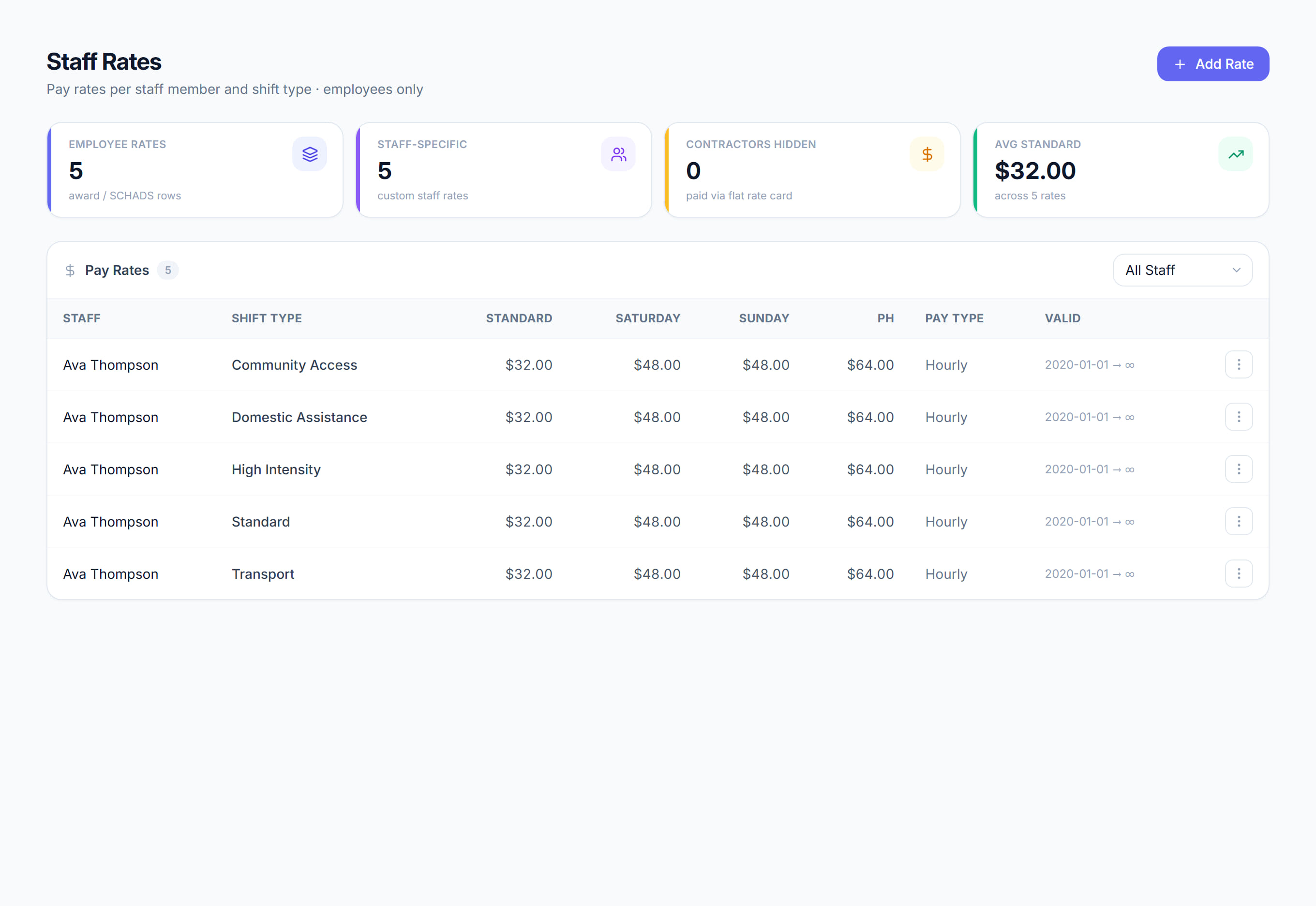
/financials/staff-rates7 stepsThe cost rates Rostery uses to work out staff cost and margin on each shift in the financial reports, for employees only. Finance staff maintain them. They do not change pay, which comes from each person's pay group.
Step by step
- 1
From the Financials dashboard, open Staff rates under Set-up. Add a staff-specific rate only where someone's real cost genuinely differs from their pay group.
- 2
Otherwise let the pay group do the work. Click Sync from pay groups to fill each employee's rates from their pay group's SCHADS base rate and the weekend and holiday multipliers.

- 3
Rates saved with Default (all staff) apply to anyone who has no rate of their own for that shift type.
- 4
To add a rate, click Add rate, choose the Staff member and Shift type, enter the Standard, Saturday, Sunday and Public holiday amounts, and click Save rate.
- 5
Use Valid from and Valid to when a rate should change on a set date, such as a new award rate from 1 July.
- 6
Open the rates audit from the Financials dashboard to find shifts with a missing staff rate, because profit is understated until every shift has one.
- 7
Contractors do not appear here. They are paid from the flat rate card on their staff profile, and any award rows they still carry are hidden and counted.
The screen
Did this answer your question?
If not, talk to us — we answer from Australia, in business hours.