
Finance & Payroll
Invoices
/invoices8 stepsAlso for this guide
Where approved shifts become invoices, and where you send them, record payments and claim from the NDIA or Services Australia. Finance and office staff use it to bill every payer, from private clients to the NDIA, plan managers and aged care.
Step by step
- 1
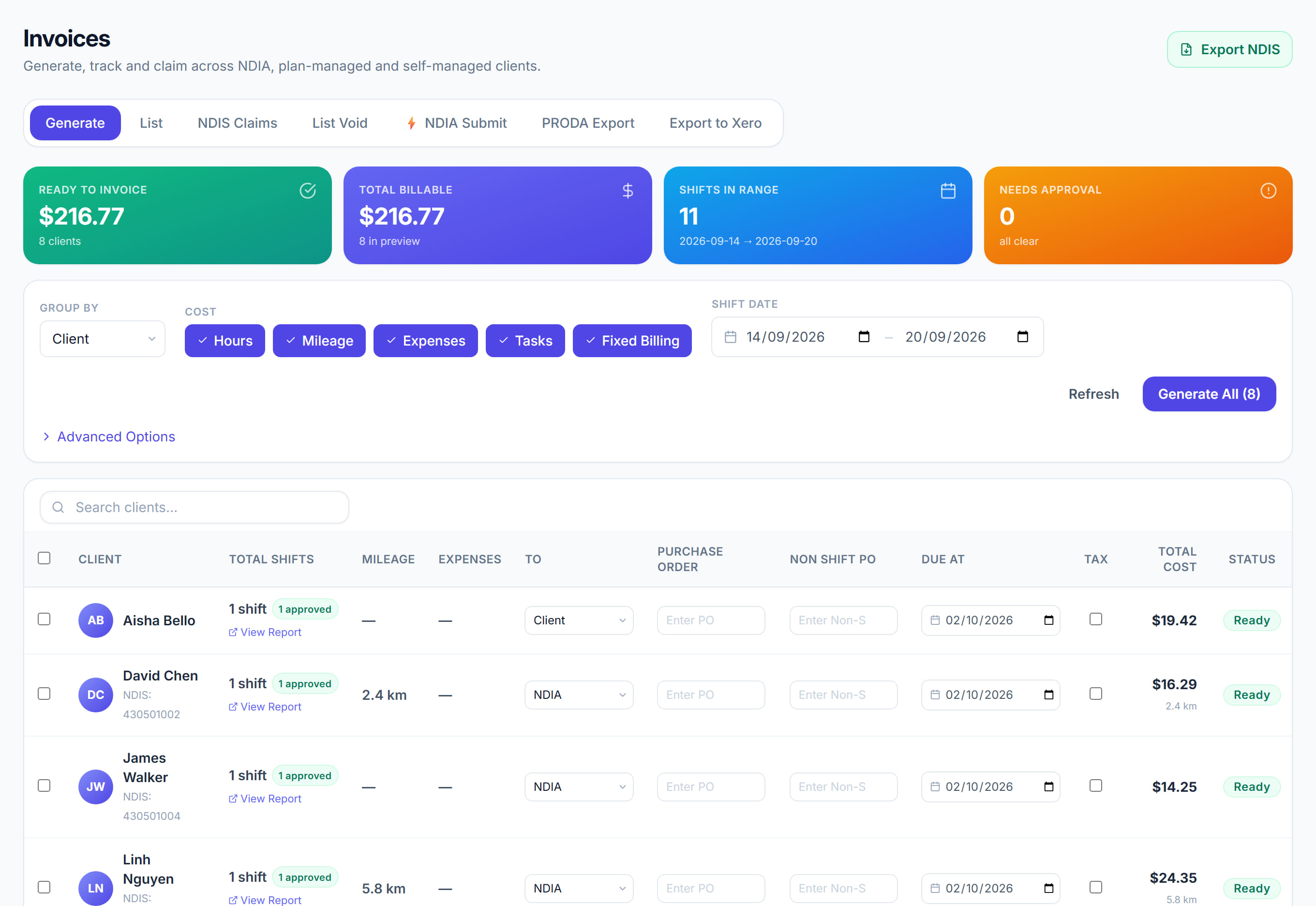
On the Generate tab, set the Shift date range and click Refresh preview. Only shifts with an approved timesheet appear, listed by Client unless you change Group by.

- 2
Check each client's Invoice to, Due and Purchase order, tick the clients you want, then click Generate and confirm. With nothing ticked, every client with approved shifts is invoiced.
- 3
Track payment on the Invoices tab. The Outstanding, Overdue, Collected and Draft tiles, with the status and payer chips, show what is still owed and by whom.
- 4
Click View on an invoice to check its lines, then use Send by email or Print or PDF. Use Edit to change an invoice before it is sent.
- 5
When money arrives, open the invoice and click Record payment. Enter the Amount paid, Payment reference and Paid date. A part payment leaves the rest outstanding.
- 6
Use the actions menu on a row, or tick several invoices, to mark them sent, mark them paid or void them. Marking an invoice paid records no amount or reference.
- 7
For NDIA invoices, claim payment from the Claims tab, or use Download PRODA CSV or Submit to NDIA on the invoice. Aged care invoices use Claim from Services Australia.
- 8
Use the Accounting tab to download a Xero or MYOB CSV of your invoices, filtered by date, status and client, for import into your accounting software.
The screen
Did this answer your question?
If not, talk to us — we answer from Australia, in business hours.