
Finance & Payroll
Profit Report
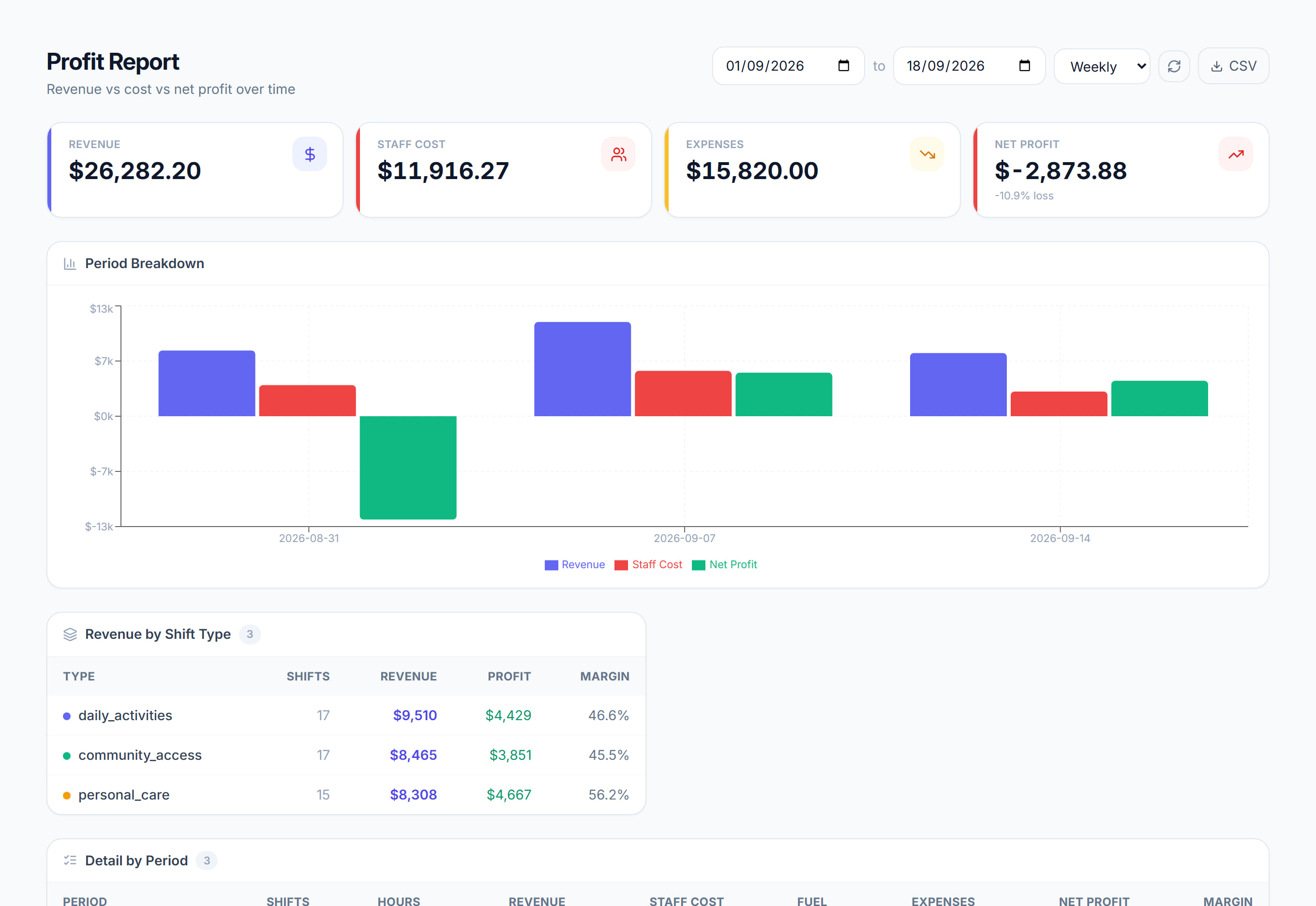
/financials/reports/profit7 stepsRevenue, staff pay, super, fuel, expenses and net profit for a date range, grouped by day, week or month. Owners and finance staff use it to see which periods and shift types made money, and where the margin is thin.
Step by step
- 1
Open Financials, then Reports, then Profit. Set the From and To dates and choose Day, Week or Month to group the figures.
- 2
Read the Revenue, Staff pay and super, Expenses and fuel, and Net profit tiles. The margin shows under Net profit, and a loss is highlighted.
- 3
Look at the By period chart for any period where costs overtake revenue. That is work delivered at a loss, which is what this report is for.
- 4
Check Revenue by shift type. Shift profit there is revenue less staff pay, super and fuel, before business expenses, so a low margin points to a rate problem.
- 5
Use Detail by period to see Shifts, Hours, Revenue, Staff pay, Super, Fuel, Expenses, Net profit and Margin for each period, with a Total row.
- 6
If owners are set up in Financials, Configuration, Owner profit split shows each owner's share of the net profit for the range.
- 7
Click Export CSV to download the period rows, with revenue, costs, net profit and margin, for your accountant or board report.
The screen
Did this answer your question?
If not, talk to us — we answer from Australia, in business hours.