
Finance & Payroll
Expenses
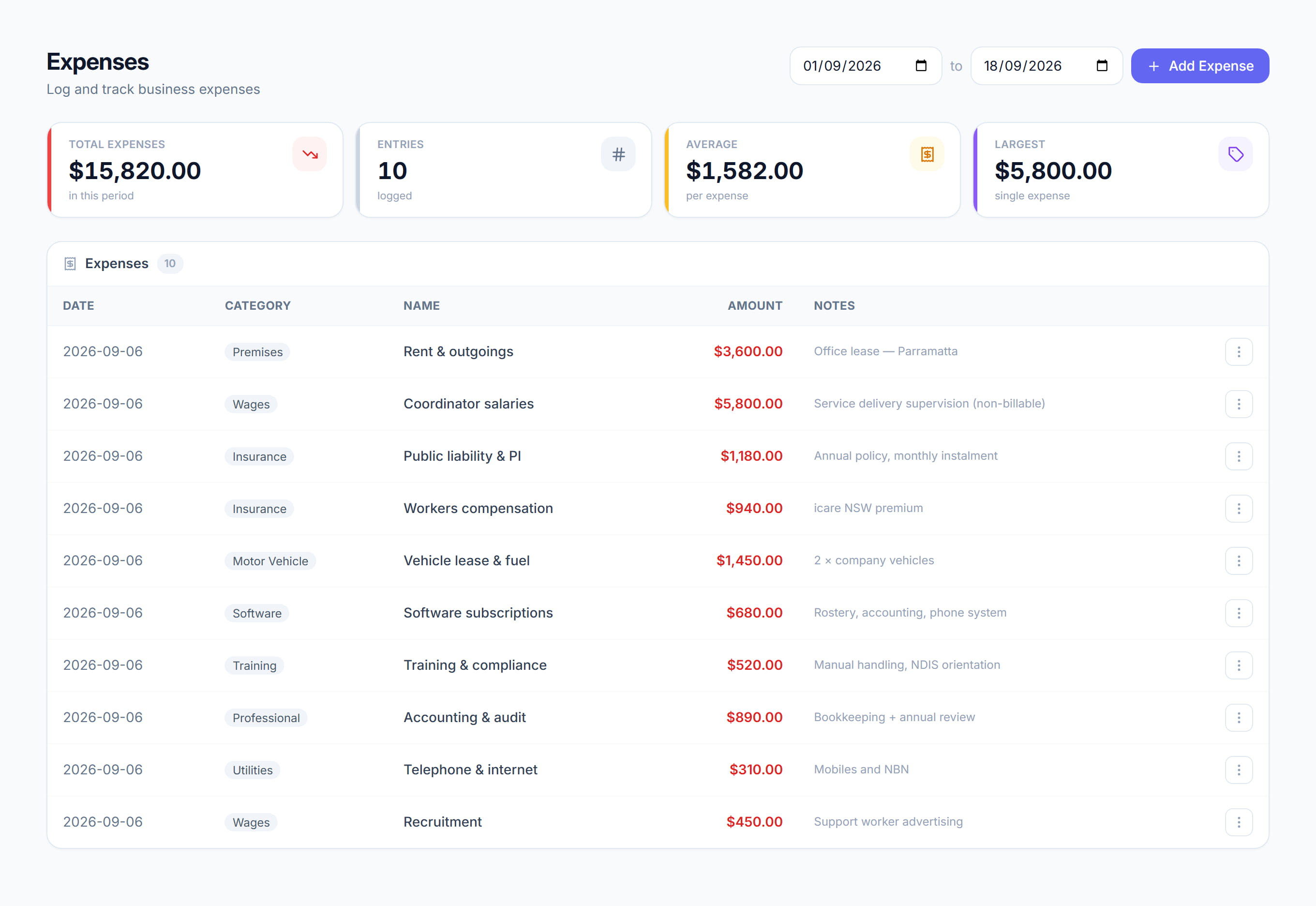
/financials/expenses6 stepsYour business overheads, such as rent, insurance, vehicles and software, logged by date and category. Owners and finance staff record them here so the Financials dashboard and the profit report take them off revenue and show a true net profit.
Step by step
- 1
Open Financials, then Expenses, and set the From and To dates to the period you are working on.
- 2
Click Add expense. Enter a Name, the Amount ($) and the Date, choose a Category, add any Notes, and save it.
- 3
Record each overhead against the date it relates to, so it lands in the right period on the profit report and dashboard.
- 4
Check the Total expenses, Entries, Average and Largest tiles. Total expenses matches the Total row at the bottom of the Logged expenses table.
- 5
To fix an entry, open the menu at the end of its row and choose Edit expense, or Delete expense to remove it from every total.
- 6
Check the profit report afterwards. Logged expenses sit under Expenses and fuel and come off revenue before net profit, so a missing bill makes profit look better than it is.
The screen
Did this answer your question?
If not, talk to us — we answer from Australia, in business hours.