
Finance & Payroll
Financials
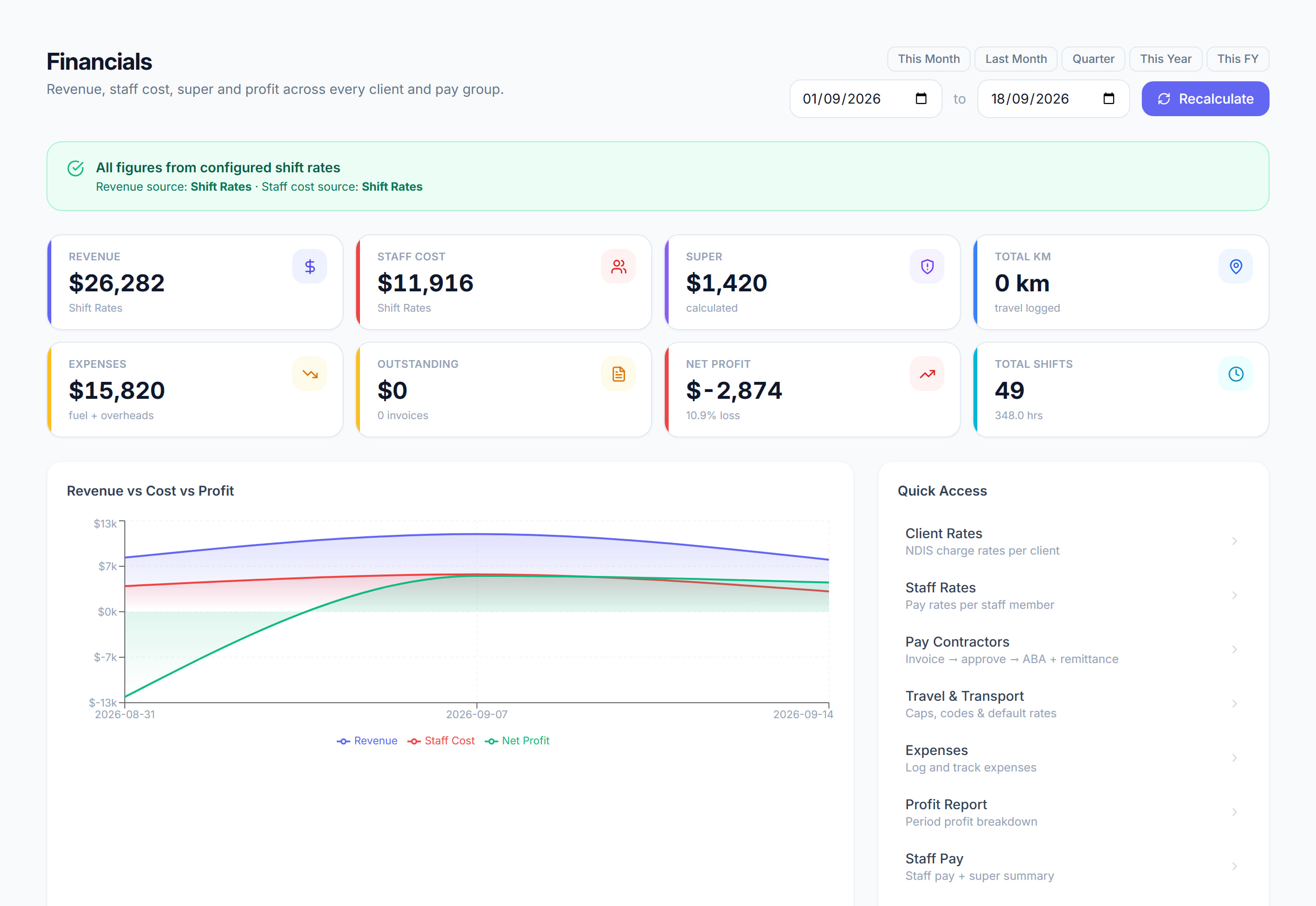
/financials7 stepsThe money overview for any period: revenue, total cost, net profit and what is still owed. Owners and finance staff use it to see whether the work made money, and as the starting point for the financial reports and rate set-up.
Step by step
- 1
Pick a period with This month, Last month, This quarter, This year or This FY, or set your own From and To dates.
- 2
Read the four tiles: Revenue, Total cost, Net profit and Outstanding. Total cost is staff pay, super, fuel and logged expenses, so net profit already has your overheads taken off.
- 3
If an amber notice says shift rates aren't set up, click Set up rates automatically. It syncs client rates from price books and staff rates from pay groups, then re-prices shifts.
- 4
If a notice says shifts have a missing rate, click Open the rates audit and fix them. Profit is understated until every shift has a client rate and a staff rate.
- 5
Check the Revenue, cost and profit by week chart, then Top clients by revenue and Top staff by hours to see where the money comes from and goes.
- 6
Click Recalculate after changing rates or approving old timesheets. It re-prices the shifts in the range, oldest first, and tells you to run it again if more remain.
- 7
Use the Reports and Set-up links to open Profit and loss, Client funding, KM and travel, Client rates, Staff rates, Travel and transport, Log expenses and Configuration.
The screen
Did this answer your question?
If not, talk to us — we answer from Australia, in business hours.