
Aged Care
Rates
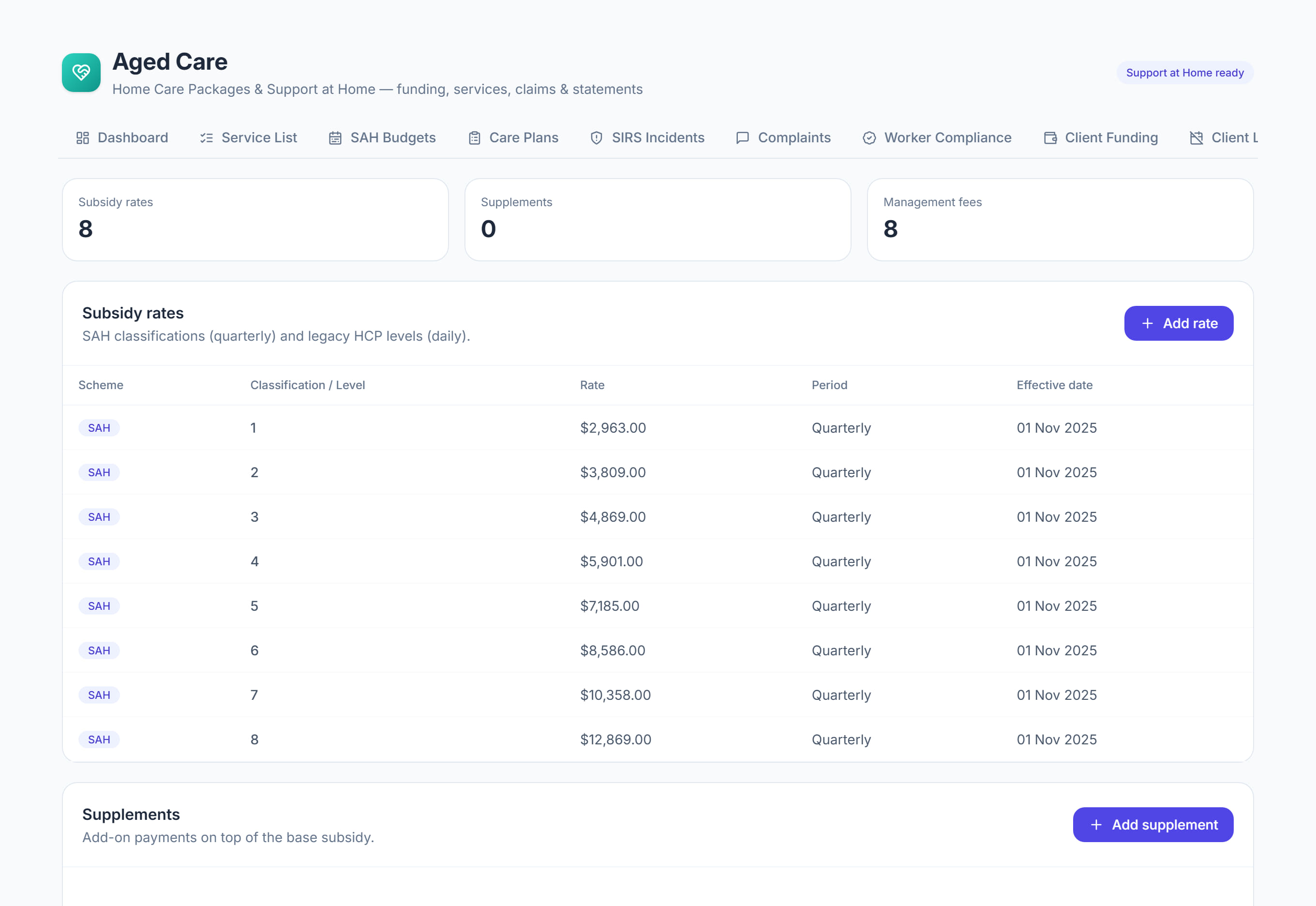
/aged-care?tab=rates7 stepsRates and fees holds what the government pays you, what you may charge on top, and what the participant contributes. Administrators keep the subsidy rates, supplements, management fees and lifetime contribution caps current, and every figure is resolved by service date.
Step by step
- 1
Select Add rate under Subsidy rates. Choose Support at Home or Home Care Package, then enter the classification or level, the rate and the Effective from date.
- 2
Enter Support at Home rates in dollars per quarter and Home Care Package rates in dollars per day. The Paid column shows Each quarter or Each day.
- 3
Select Add supplement for remoteness, dementia, oxygen and the like. Choose Supplement, Reduction or Loading and enter the default amount in dollars per day.
- 4
Select Add fee under Management fees to set care management and package management, as a percentage of the subsidy or as a dollar amount.
- 5
Check Participant contributions, Support at Home for the percentage each means category pays towards independence and everyday living. Clinical supports are fully government-funded.
- 6
Under Lifetime contribution caps, enter the current Support at Home cap and Grandfathered cap with the Figures as at date, then select Save caps.
- 7
When a rate changes, add a new row with its Effective from date rather than editing the old one, so earlier services keep the rate that applied.
The screen
Did this answer your question?
If not, talk to us — we answer from Australia, in business hours.