
Aged Care
Invoices
/aged-care?tab=invoices8 stepsSupplier invoices is the queue for bills from the third-party providers you broker services from. Administrators import each invoice, check the details read from it against the purchase order, and approve or reject it for payment.
Step by step
- 1
Select Import a PDF invoice and choose the provider's PDF. The supplier, dates, totals and line items are read from it for you.
- 2
Check the extracted invoice: supplier, participant, invoice number, invoice date and service dates. Correct anything that is wrong before saving.
- 3
Choose the Scheme, Support at Home or Home Care Package, and the Payment type, either Supplier payment or Client reimbursement.
- 4
Check the line items and add or remove lines so the Lines subtotal matches the bill. A different Invoice total is flagged before you save.
- 5
Tick This invoice is matched to a purchase order only when an active order covers that participant and provider, the amount and the service dates. Then select Save invoice.
- 6
Select Enter by hand for a paper invoice, or a PDF that could not be read, and type it as it appears on the supplier's bill.
- 7
Work the Invoice queue by selecting Approve or Reject on each pending invoice. Pending invoices without a purchase order are marked in amber.
- 8
Check the figures at the top for what is Waiting for approval, its value, and how many invoices are Without a purchase order.
The screen
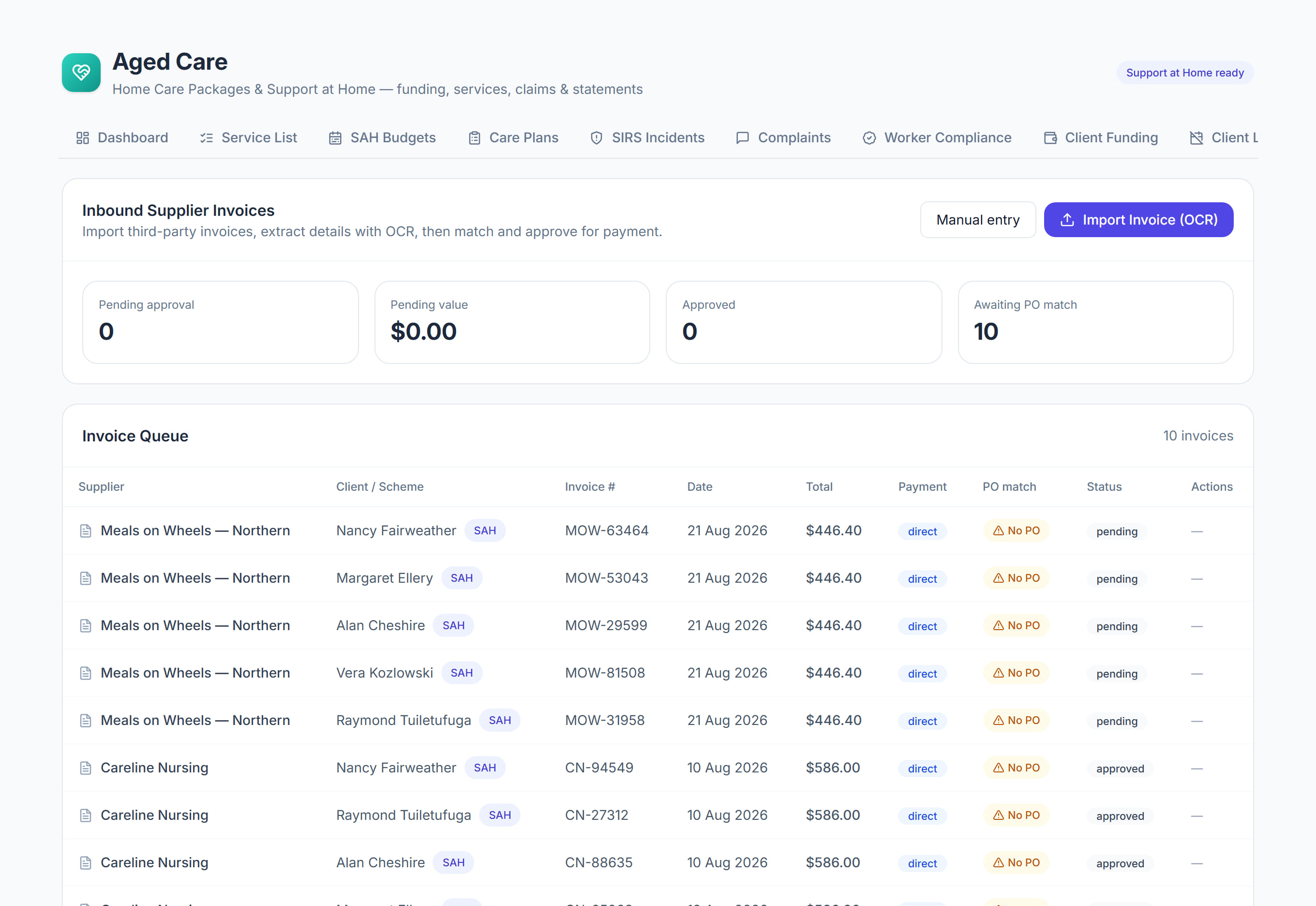
Did this answer your question?
If not, talk to us — we answer from Australia, in business hours.