
Aged Care
Claims
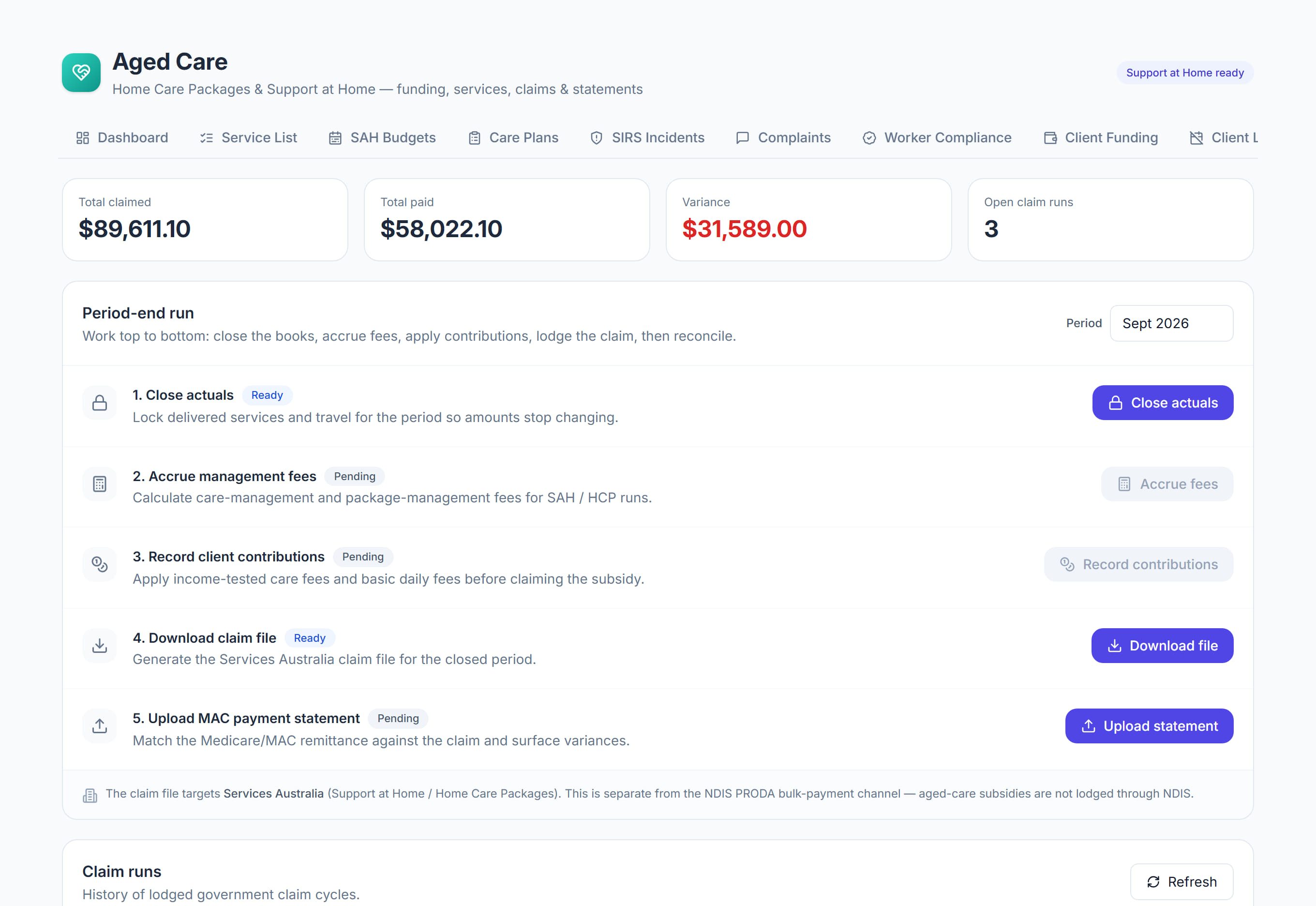
/aged-care?tab=claims8 stepsClaims is where you close each month, build the Support at Home claim file for Services Australia and reconcile what is paid. Finance staff work the period-end run from top to bottom for every month of care delivered.
Step by step
- 1
Choose the Month in the Period-end run and select Close actuals. This locks delivered services and travel for the month so the amounts stop changing.
- 2
Select Total care management. Care management logged with time and a rate is claimed from your pooled care management account, not from the participant's budget.
- 3
Select Record contributions and choose how participants pay, such as Invoiced to each participant. Their invoices are drafted later from the amounts Services Australia confirms.
- 4
Select Check and download under Download the claim file. Read the lines Left out of the file, and why, fix what you can, then download the file.
- 5
In the Aged Care Provider Portal, choose Create invoice, then Import CSV and pick the file. Check the lines, Submit the invoice, then choose Claim current invoices.
- 6
When Services Australia pays, download the payment statement from the Provider Portal and select Upload statement. You can also enter the amount paid and select Record amount paid.
- 7
Review the reconciliation: claimed against paid for each participant, statement lines that match no visit, and the contribution invoices drafted as a result.
- 8
Check Claim runs for each Claim by date and any variance between Claimed and Paid. Correct a rejected claim and lodge it again.
The screen
Did this answer your question?
If not, talk to us — we answer from Australia, in business hours.