
Aged Care
Complaints
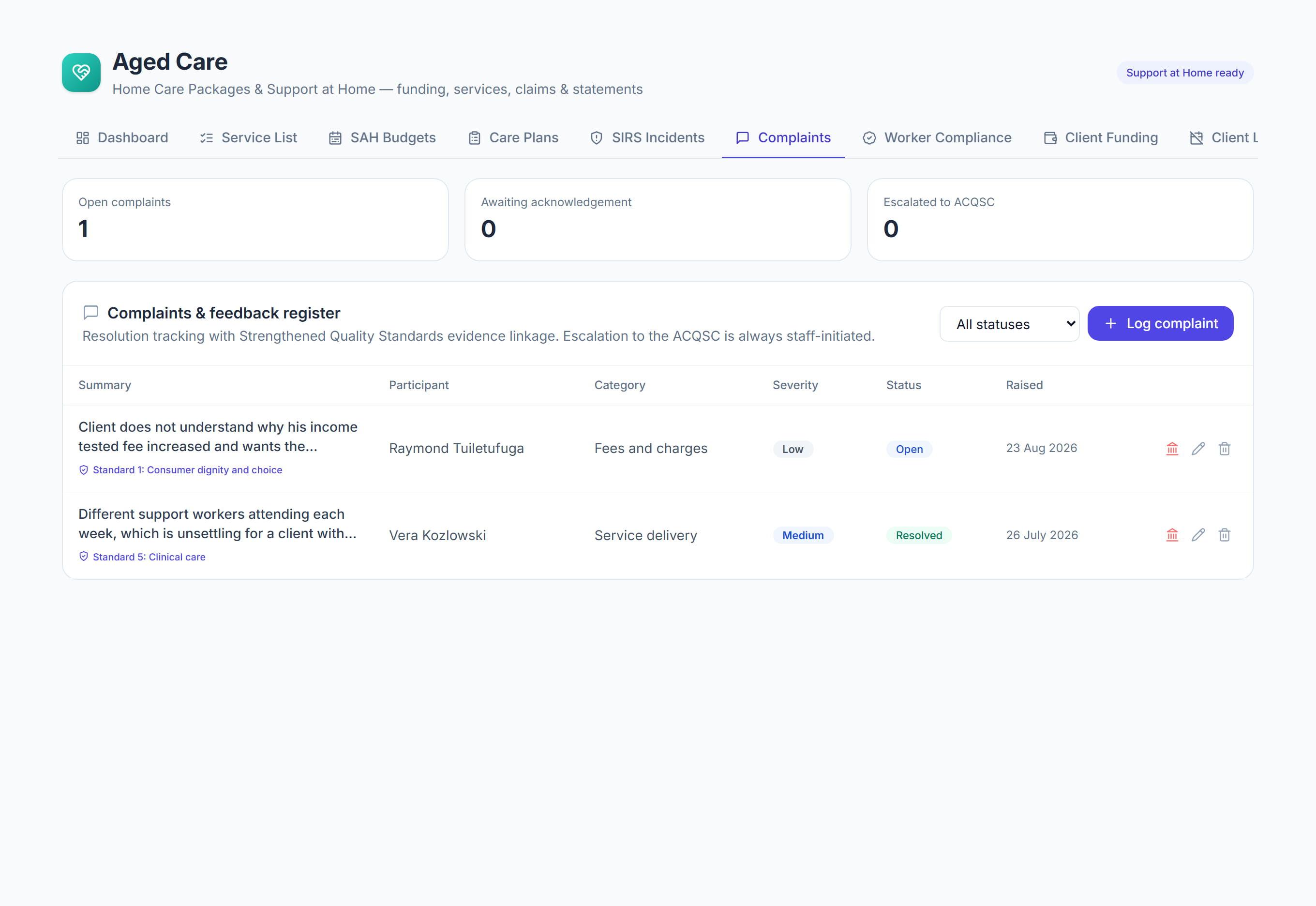
/aged-care?tab=complaints7 stepsComplaints and feedback is the register of every complaint about your aged care services. Quality and care managers record each complaint, acknowledge it, track it to resolution, link it to a Quality Standard and flag any escalation to the Commission.
Step by step
- 1
Select Log complaint the day it is raised. Enter the summary, participant, category, who raised it, their relationship, the source, severity and the Raised on date.
- 2
Acknowledge the complaint and record the Acknowledged on date. Until you do, an open complaint shows Not yet in amber and counts as Awaiting acknowledgement.
- 3
Choose the Linked Quality Standard, the Strengthened Quality Standard this complaint is evidence against, so it is ready for audit.
- 4
Move the Status through Acknowledged and In progress as you work on it, and record follow-up actions as they happen.
- 5
Record the resolution and the Resolved on date, then set the Status to Resolved or Closed to close the complaint.
- 6
If the complaint goes to the Aged Care Quality and Safety Commission, select Record escalation and enter the ACQSC reference they gave you.
- 7
Check the figures at the top for open complaints, those awaiting acknowledgement and those escalated, and use the status filter to review the register.
The screen
Did this answer your question?
If not, talk to us — we answer from Australia, in business hours.