
The mobile app
My Schedule
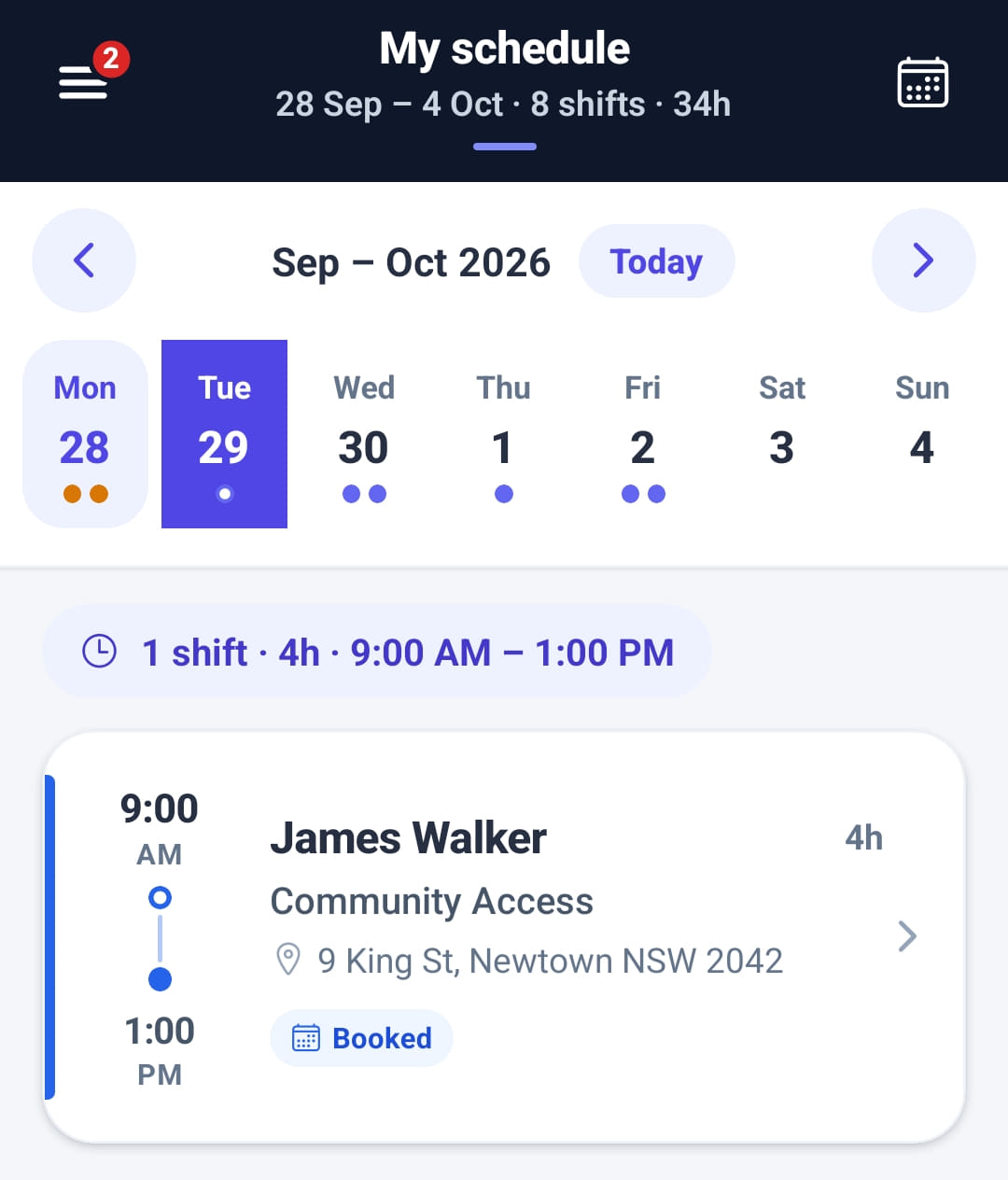
The worker’s own roster on the phone, a week at a time, with each day’s shifts and totals. My schedule only ever shows the signed-in person’s shifts. An administrator sees everyone’s under Roster; a support worker sees only their own.
Step by step
- 1
Tap Schedule in the bar at the bottom, or My schedule in the menu.

- 2
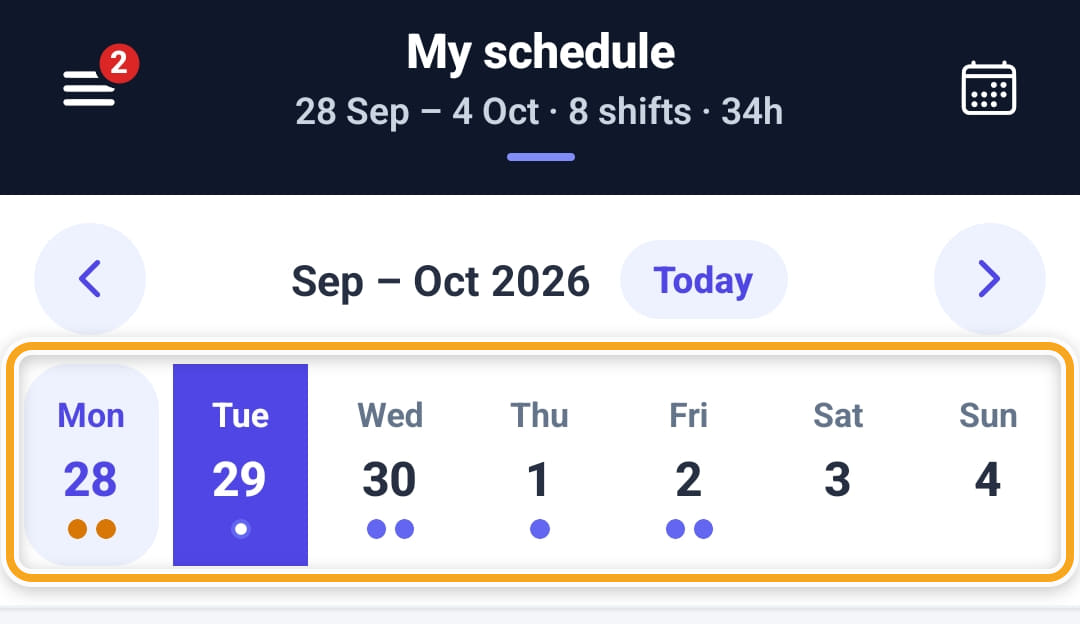
Tap a day in the week strip to see its shifts. Swipe the strip or use the arrows to change week, Today to come back, or the calendar icon at the top right to jump to a date. The header totals the week.
- 3
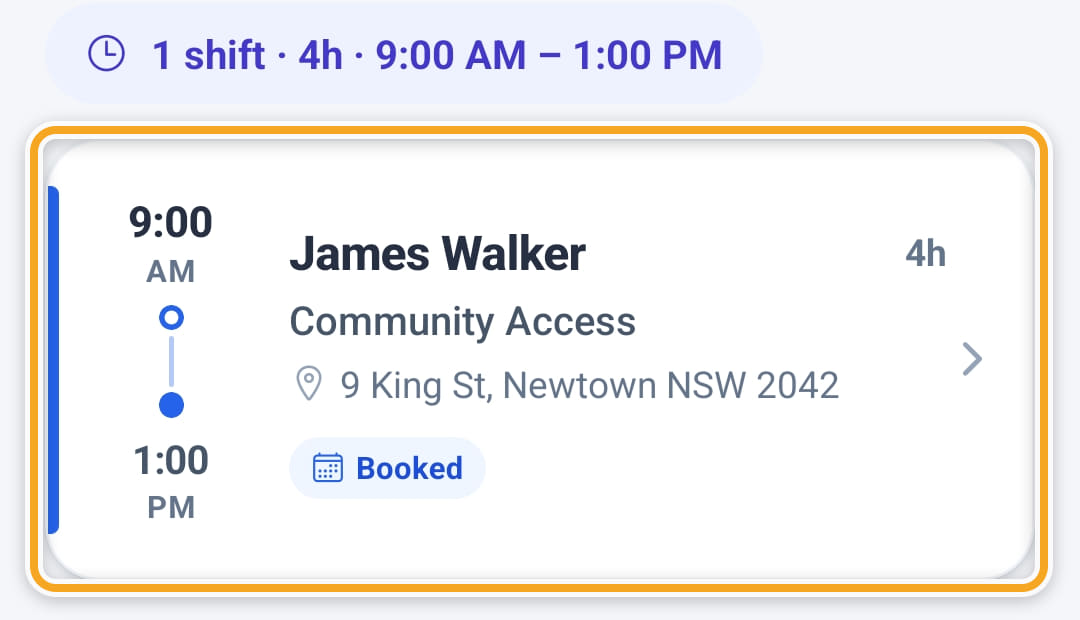
The line under the strip totals the day. Tap a shift to open it.
- 4
A shift they claimed from the Job board shows as pending until the office confirms it.
- 5
Dots under each day show its shifts by status: green for done or under way, amber for pending or a missed clock-in, red for cancelled.
- 6
Each shift card shows the participant, the start and end times, the length (a moon marks an overnight shift), the type, the address and the status.
- 7
An empty day offers a button to the next shift, which jumps straight to it, and Browse job board.
- 8
Pull down to refresh. If the phone cannot reach Rostery, a banner says so and keeps the last update on screen. Tap it to try again.
The screen
Did this answer your question?
If not, talk to us — we answer from Australia, in business hours.