
The mobile app
Documents and training
The worker’s own certificates, checks and training records on the phone, and what is about to expire. They can see what has lapsed, upload a renewal straight from the phone, and renew a qualification from My training.
Step by step
- 1
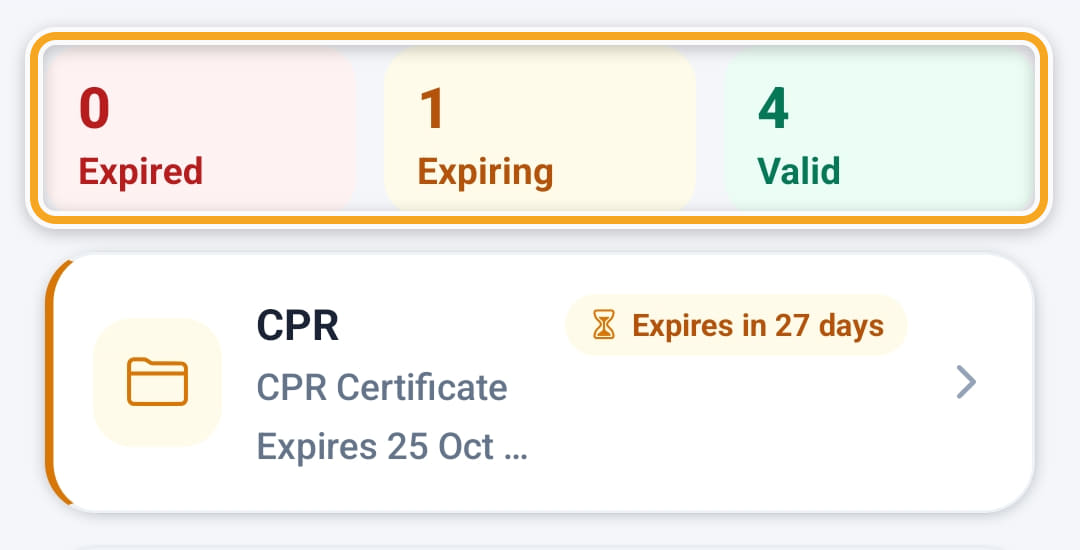
Open My documents from the menu or from Profile. The tiles count what is Expired, Expiring within 30 days and Valid. Tap one to show only those.
- 2
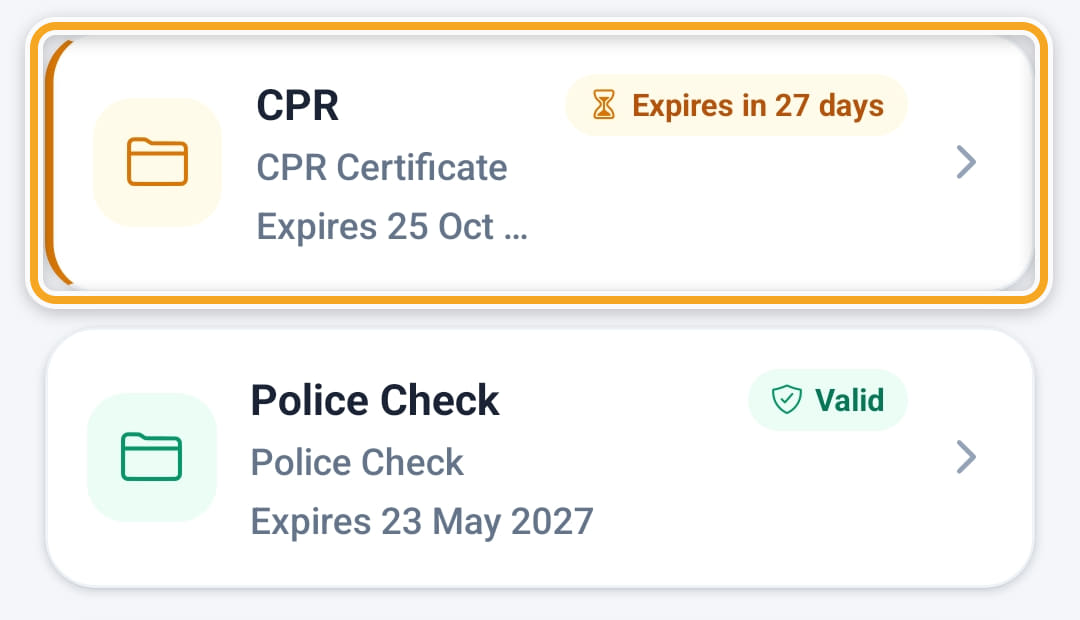
Anything close to expiry is flagged on its card with the days left, and on your compliance reports.
- 3
Tap Upload to add a renewed certificate straight from the phone: choose the file (PDF, photo or Word document, up to 15 MB), the Document type and the Expiry date.

- 4
The Expiry date can be Not set, 1 year, 2 years, 3 years or Pick date. For a certificate, check or first aid type, Add as qualification is on, so it also shows in their qualifications.
- 5
When something has expired, a banner at the top names it with an Upload new button. Tap any document to open it on the phone.
- 6
My training in the menu groups certificates and qualifications into Expired, Expiring soon, In progress and Current. Renew appears on anything expired or due within 7 days and opens the upload with the type already chosen.
Did this answer your question?
If not, talk to us — we answer from Australia, in business hours.