
How do I…?
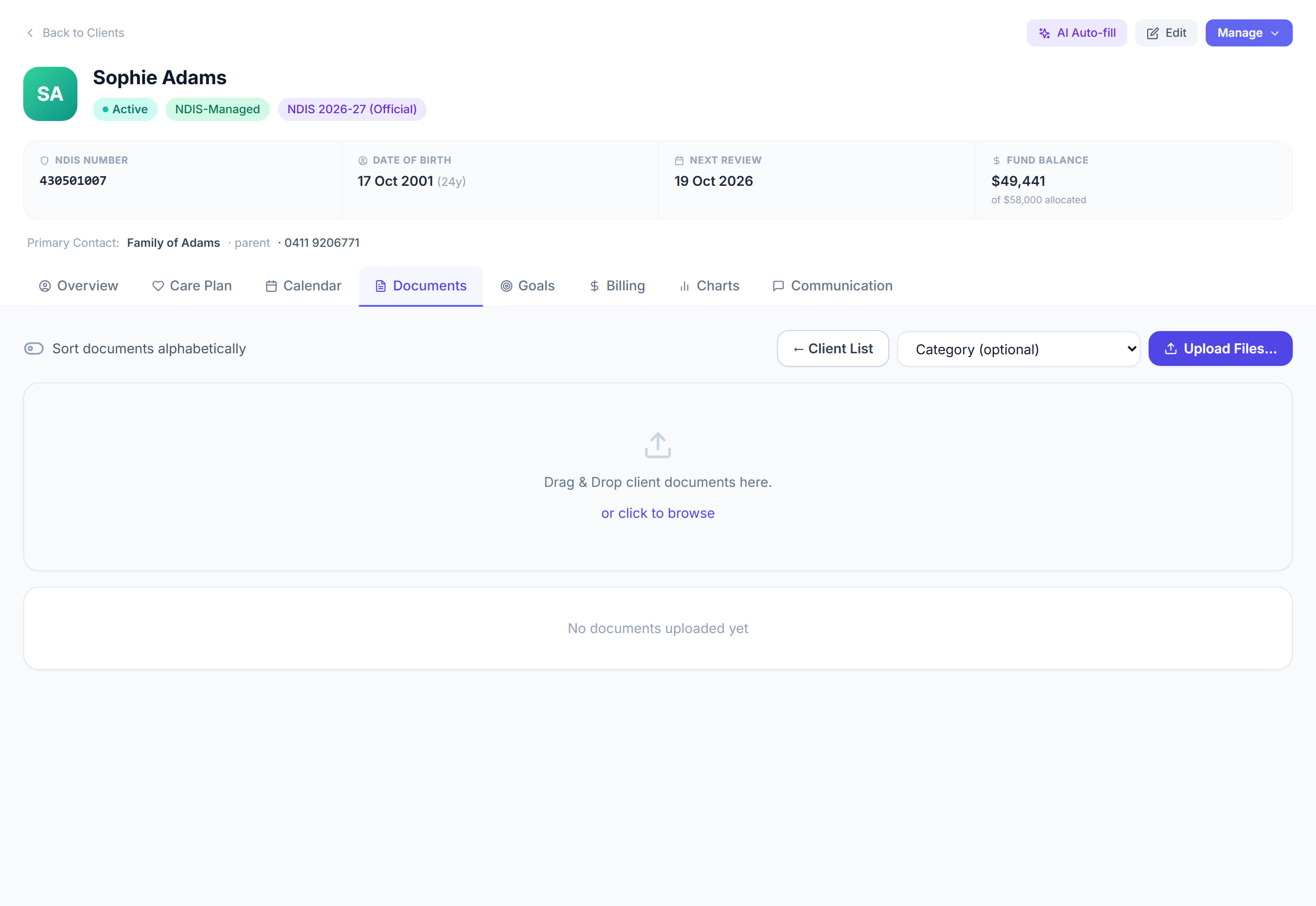
Upload a document for a participant
Client profile → Documents8 steps
Written by Fahid Safdar, Founder & Product, Rostery · Checked
The NDIS plan, service agreement, consent forms, risk assessments.
Do this
- 1
Open the participant.
- 2
Go to Documents.
- 3
Click Add and choose the file from your computer.
- 4
Give it a name you will recognise later.
- 5
Pick the category.
- 6
Put in an expiry date if it has one.
- 7
Click Save.
- 8
Anything close to expiring shows up on your dashboard, so you are told before it lapses.
The screen
Did this answer your question?
If not, talk to us — we answer from Australia, in business hours.