
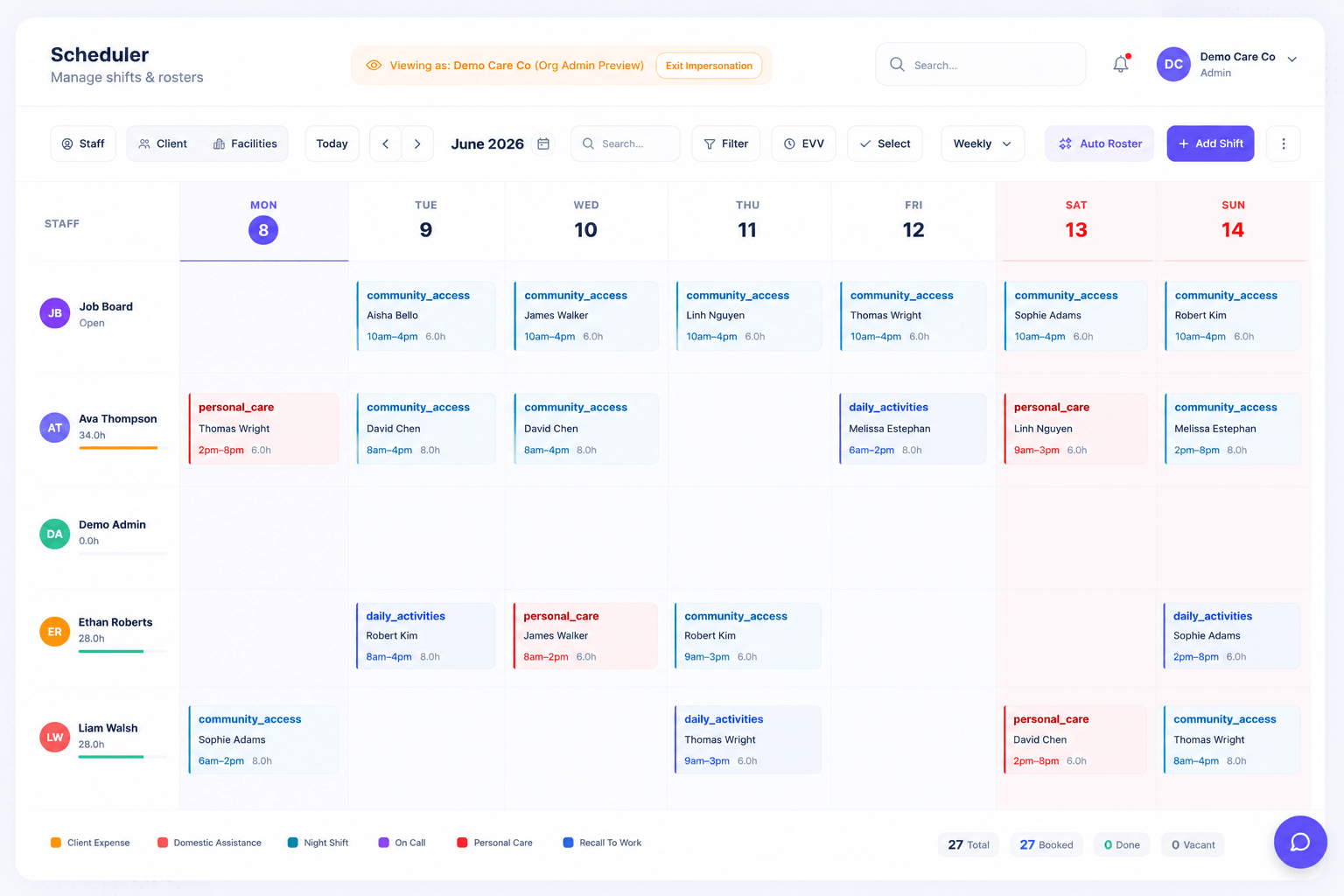
Rostering is the heartbeat of an NDIS operation, and a clumsy scheduler costs you hours every week. Rostery's visual scheduler makes building and adjusting rosters fast and clear, so coordinators spend less time wrestling with a calendar and more time on care.
How it works
Build rosters by dragging and dropping shifts on a visual calendar you can view by day, week or month. Set up recurring shifts once and let them repeat, attach shift tasks so workers know exactly what to do, and organise work across your locations and facilities.
Vacant-shift detection highlights gaps in the roster before they become a problem, so you can fill them — including by publishing them to the job board for workers to claim. Changes are visible immediately, keeping everyone working from the same up-to-date schedule.
Why it matters for NDIS providers
Unfilled shifts mean unmet participant needs and lost revenue; double-bookings and confusion erode trust. A clear, visual roster reduces both.
- Faster roster building: drag-and-drop and recurring shifts cut repetitive work.
- No silent gaps: vacant-shift detection surfaces unfilled shifts early.
- Clear expectations: shift tasks and locations tell workers exactly where to be and what to do.
What's included
- Drag-and-drop scheduling. Build and adjust rosters quickly on a visual day, week or month calendar.
- Recurring shifts. Set repeating shifts once instead of re-creating them every cycle.
- Vacant-shift detection. Spot unfilled shifts early so you can fill them before they affect participants.
- Shift tasks. Attach the specific tasks for each shift so workers know what is expected.
- Locations and facilities. Organise rostering across multiple sites and facilities cleanly.
Who it's for
Visual Scheduler & Rostering suits Australian NDIS, disability and aged-care providers of every size — from solo coordinators to multi-site organisations running multiple registered entities. Operations teams, support workers and managers all work from the same live data across the Rostery web dashboard and the carer mobile app, so nothing falls through the cracks between the office and the field.
Getting started
Visual Scheduler & Rostering is included in your Rostery plan and works the moment your data is in — there's no separate module to buy or set up. Start a free trial to try it on your own workflows, and use Rostery's "Smart Switch" data migration to bring your existing clients, staff, shifts and notes across from your current software in minutes. Our team can walk you through your specific participant types, funding mix and rostering complexity in a quick demo.