
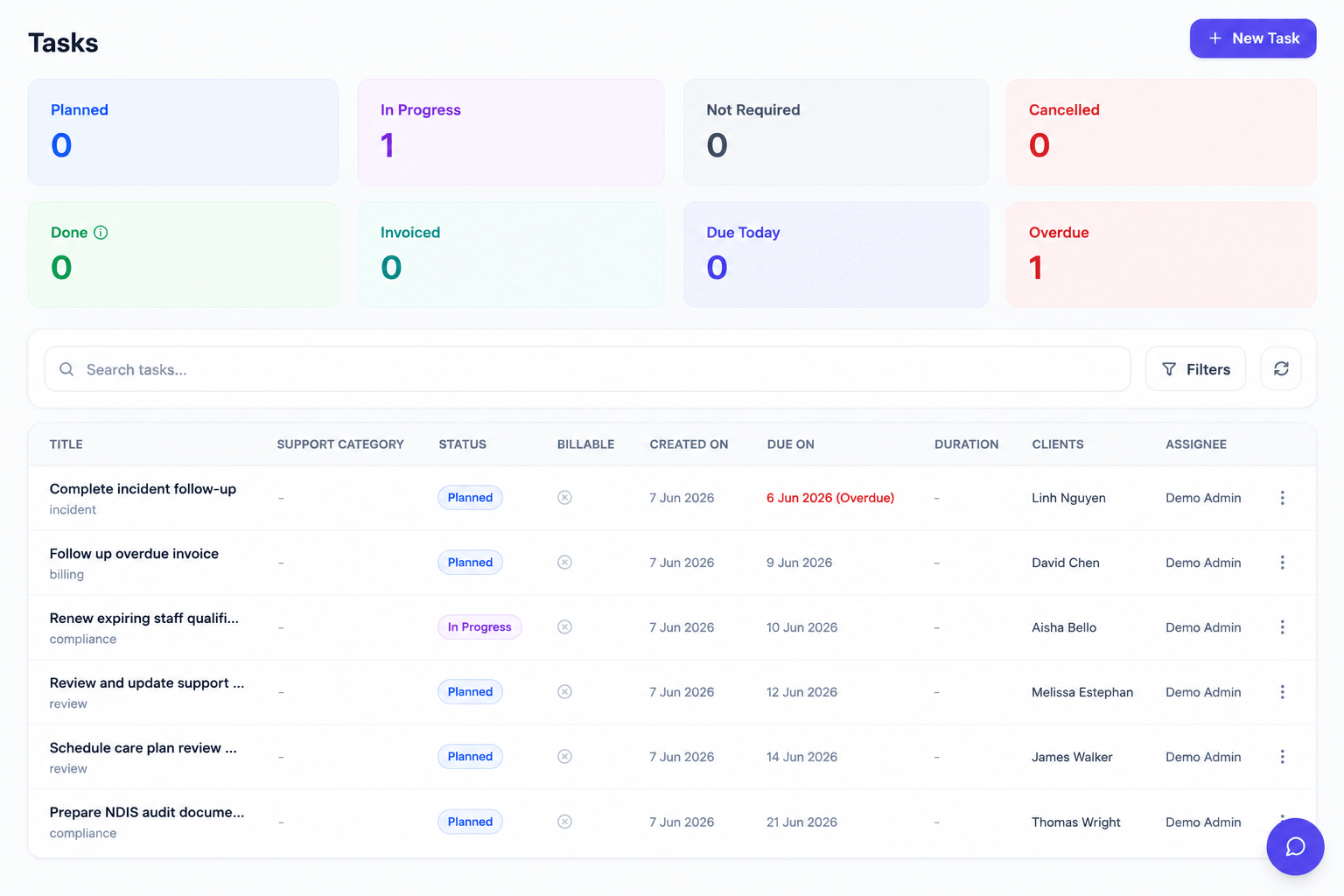
Running an NDIS service generates a constant stream of follow-ups: a document to chase, a call to make, an action from an incident. Rostery's tasks keep those accountable and visible instead of lost in someone's head.
How it works
Create tasks and assign them to the right people, with due dates and a status you can track. As work progresses, statuses update so coordinators and managers can see what's done and what's outstanding at a glance.
Why it matters for NDIS providers
Missed follow-ups cause compliance gaps and dropped balls in care. A shared task list creates accountability and a clear record that the right actions were taken.
- Clear ownership: every task has an assignee and a due date.
- Visible progress: statuses show what's outstanding.
- Nothing forgotten: follow-ups are tracked, not left to memory.
What's included
- Assignable tasks. Give each task an owner so responsibility is clear.
- Due dates. Set deadlines so follow-ups happen on time.
- Status tracking. See at a glance what is done and what is outstanding.
- Accountability. A shared task list creates a record that actions were taken.
- Fewer dropped balls. Important follow-ups are tracked instead of forgotten.
Who it's for
Tasks suits Australian NDIS, disability and aged-care providers of every size — from solo coordinators to multi-site organisations running multiple registered entities. Operations teams, support workers and managers all work from the same live data across the Rostery web dashboard and the carer mobile app, so nothing falls through the cracks between the office and the field.
Getting started
Tasks is included in your Rostery plan and works the moment your data is in — there's no separate module to buy or set up. Start a free trial to try it on your own workflows, and use Rostery's "Smart Switch" data migration to bring your existing clients, staff, shifts and notes across from your current software in minutes. Our team can walk you through your specific participant types, funding mix and rostering complexity in a quick demo.