
Support Coordination
Caseload
/support-coordination?view=engagements8 stepsAlso for this guide
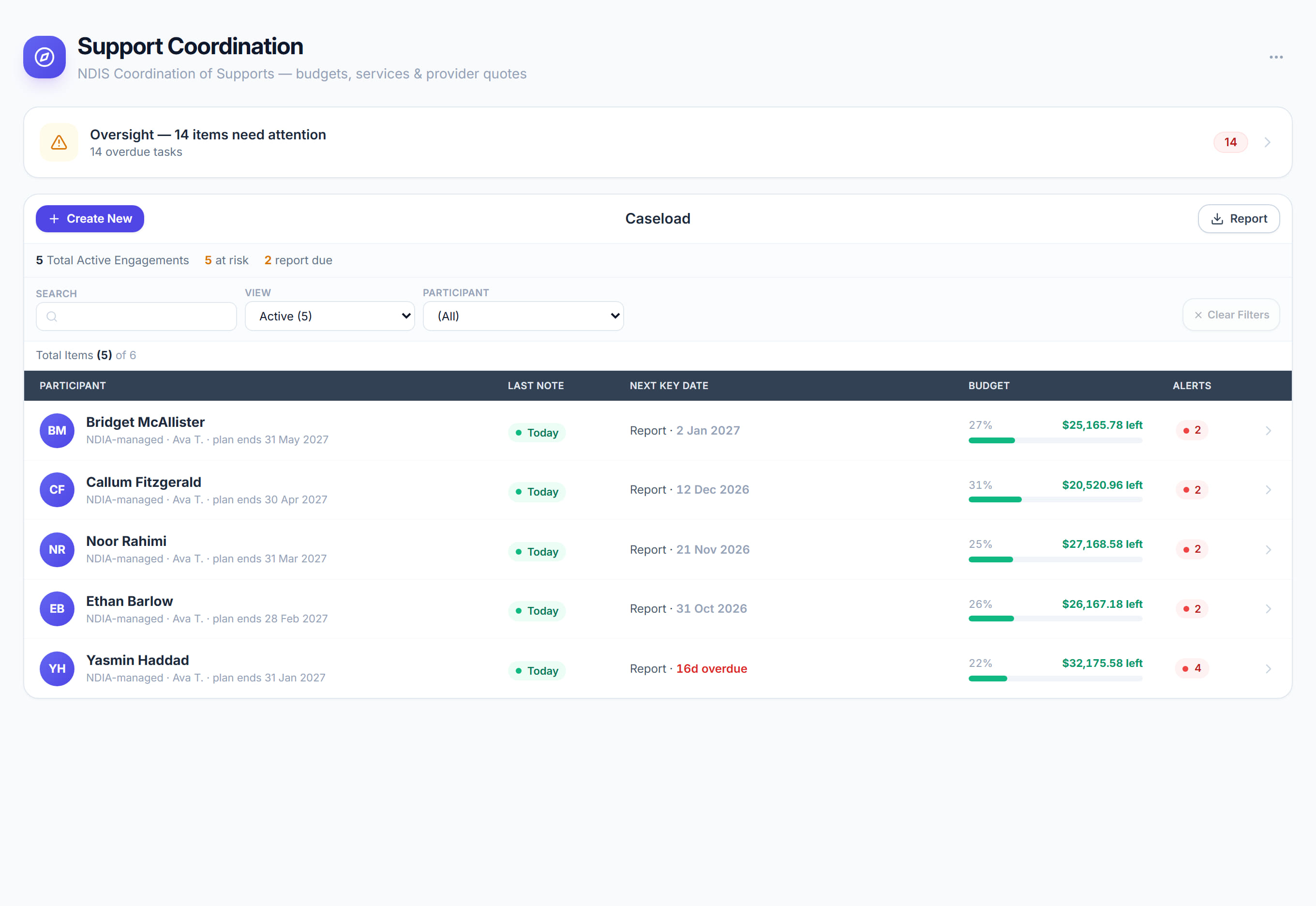
Caseload lists every support coordination engagement with its last note, next key date, budget left and alerts. Coordinators and team leaders use it to triage the caseload and open a participant's file for budgets, services, notes, providers and claims.
Step by step
- 1
Pick a view: Active, At risk, Report due or All. At risk puts the engagements with the most alerts first, and Report due shows progress reports due within 30 days.
- 2
Search participants, or choose one from the Participant list, to narrow the caseload. Select Clear filters to see everyone again.
- 3
Read each row: Last note, Next key date, Budget and Alerts. Colour marks only what needs attention, such as a note gone quiet, an overdue date or an overspent budget.
- 4
Select a participant to open their file, with sections for Notes & Billing, Plan & Budgets, Providers, Comms, Safety & Compliance, and Documents & Reports.
- 5
Watch the budget against the plan. Remaining turns amber once 85% is allocated and red when overspent, so act before an engagement runs out mid-plan.
- 6
Select Progress note to record your time as you deliver support. Billable notes draw against a budget and flow into the CoS claims and invoices.
- 7
Select New engagement to start coordinating for a new participant, and Export CSV to download the caseload as shown, with the filters applied.
- 8
When the Oversight banner shows items needing attention, select it to open the lists of missing notes, overdue tasks and budgets at risk in Insights.
The screen
Did this answer your question?
If not, talk to us — we answer from Australia, in business hours.