Rostery
AIAI Receptionist (Voice)AI Voice⭐ Core

AI Receptionist for NDIS Providers

An AI voice answers your number around the clock, captures each enquiry as a scored lead and transfers crisis calls straight away.

  • Answers around the clock
  • A complete lead
  • Crisis calls transferred
  • Voicemail and SMS
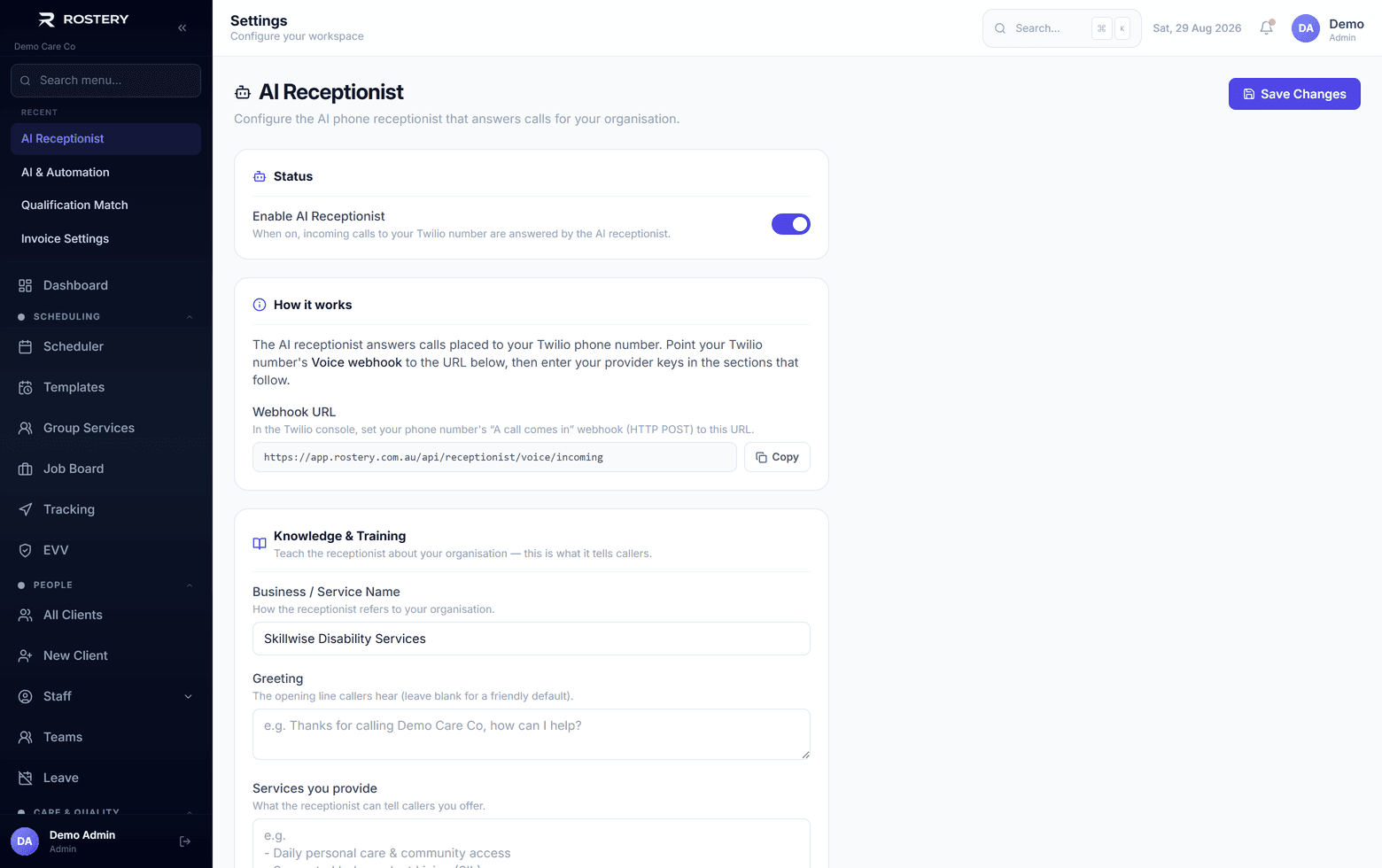
The receptionist configured with your services and intake process

Calls that go unanswered

Most of them come when nobody can pick up.

After hours

Evenings, weekends and public holidays.

Busy periods

When every line is taken.

Crisis calls

Callers who need a person now.

Voicemail

Messages waiting until morning.

Text enquiries

People who'd rather type.

First questions

Prices, areas and services.

Every unanswered call is a participant who might call someone else. The AI Receptionist answers your phone number around the clock, has a natural conversation, and writes down what the caller needs.

How the AI Receptionist works in Rostery

In Settings, then AI receptionist, tell it about your organisation: its name and greeting, your services, prices, hours, service areas, languages and intake process. Connect your Twilio phone number and a transfer number, and point the number's voice webhook at Rostery. From then on, calls to that number are answered by an AI voice that is honest about being an AI if asked.

The receptionist captures the caller's name, phone, email, NDIS number, funding type, support needs, suburb, urgency and the kind of call, writes a summary, and scores the lead from 0 to 100. A crisis call is transferred straight away, and a caller can ask to be put through. Voicemail of up to three minutes is transcribed, text messages are answered too, the caller gets a confirmation text, and hot or crisis leads are texted to your transfer number. Leads go to your AI Receptionist page to assign and call back.

How the receptionist handles them

1

Answers every call

An AI voice on your Twilio number, any time, honest that it is an AI if asked.

2

Captures the enquiry

Name, contact details, NDIS number, funding, needs, suburb and urgency, with a summary, transcript and score.

3

Escalates when it matters

Crisis calls are transferred immediately, callers can ask for a person, and hot leads are texted to you.

4

Voicemail and SMS

Voicemail transcribed, texts answered, and a confirmation text to every caller.

Who it helps

Intake teams

Start each day with every enquiry written down.

Owners

Stop losing participants to missed calls.

Callers

Get an answer at any hour.

Set it up well

  • Describe your services, prices and areas accurately
  • Set a transfer number someone answers
  • Test a call before going live
  • Check new leads every morning

Go live in four steps

  1. 1

    Add the AI Receptionist

    A $199 a month add-on.

  2. 2

    Describe your organisation

    Services, prices, hours and areas.

  3. 3

    Connect Twilio

    Your number, transfer number and webhook.

  4. 4

    Test and go live

    Call it, then let it answer.

See AI Receptionist (Voice) on your own data

A guided demo with your participants, staff and price book. No obligation.

Book a Demo

AI Receptionist (Voice): questions

Yes, on your own Twilio phone number.

Keep learning

Ready when you are

Ready to transform your NDIS operations?

See Rostery running on your own rosters, funding and award rules — not a canned tour.

Guided walkthroughYour own dataNo obligation

No setup fees · No obligation · Australian data storage