Rostery
CareCare Plans & Goals

NDIS Care Plan Software & Goal Tracking

Care plans with goals and review dates, goals your workers tag in their notes, and reports that show progress.

  • Plans with review dates
  • Goals with progress
  • Goals in daily notes
  • Outcome assessments
The care plan as it is used on shift

What keeping goals alive involves

Goals only matter if they shape the work every week.

Writing the plan

Goals agreed with the participant, in their words.

Daily work

Workers knowing which goals each shift is for.

Evidence

Notes that show progress towards each goal.

Reviews

Plans revisited before their review date passes.

Outcomes

A measure of how life is changing, not just tasks done.

Plan reviews

Evidence ready when the NDIS plan is reviewed.

A participant's goals are why the supports exist. They should be written down, reviewed on time, and visible in the daily notes your workers write, not filed away until the plan review.

How NDIS care plans work in Rostery

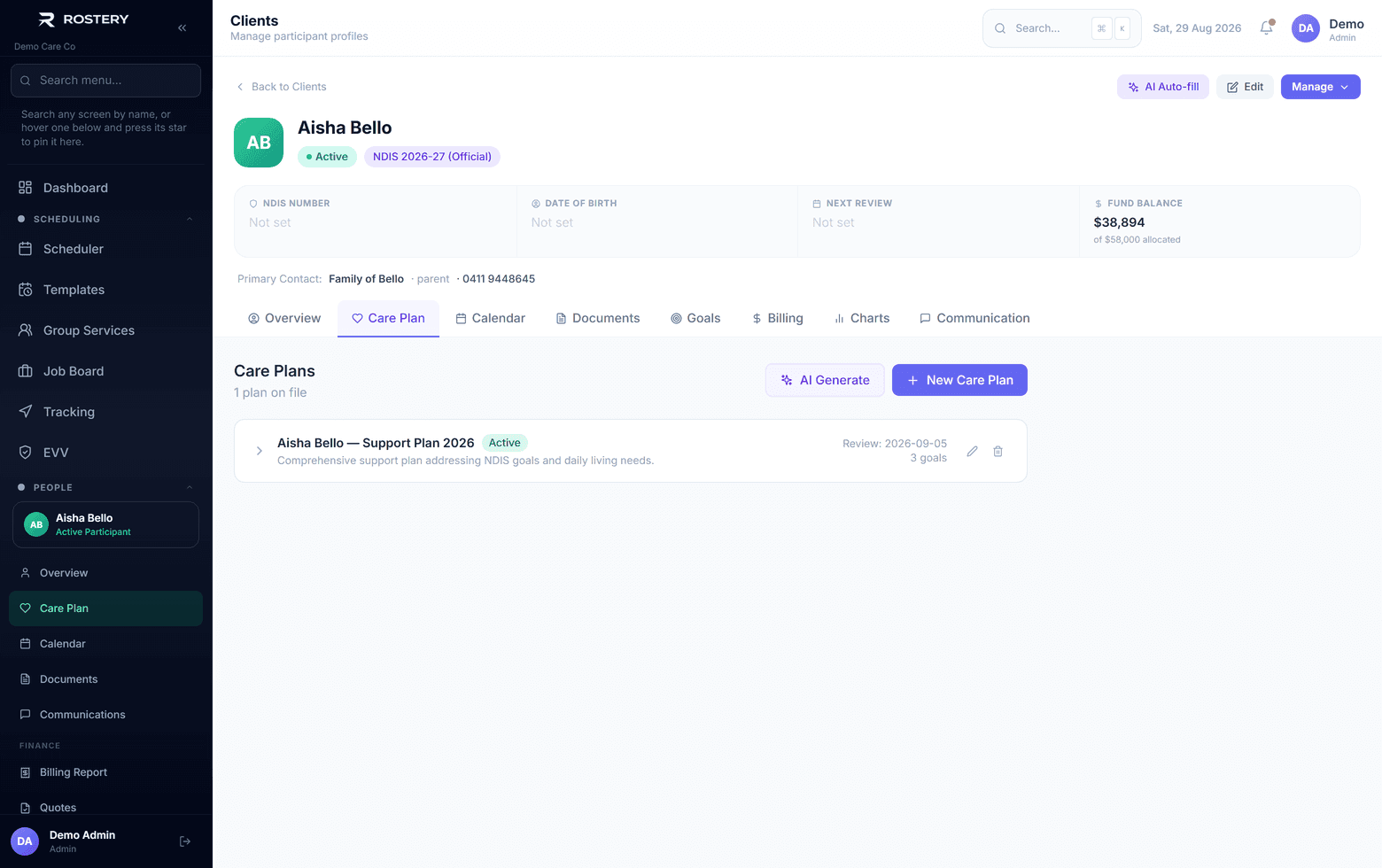
On a participant's Care plan tab, the office creates a plan with its start date, review date and status (active, review due, completed or inactive) and adds goals with a category, a target date, a status and progress in steps of 25%. On the Growth plan and above, Draft with AI writes a first plan for you to review before anything is saved. Once a plan's review date passes it is flagged as overdue, and the dashboard counts reviews due in the next 30 days.

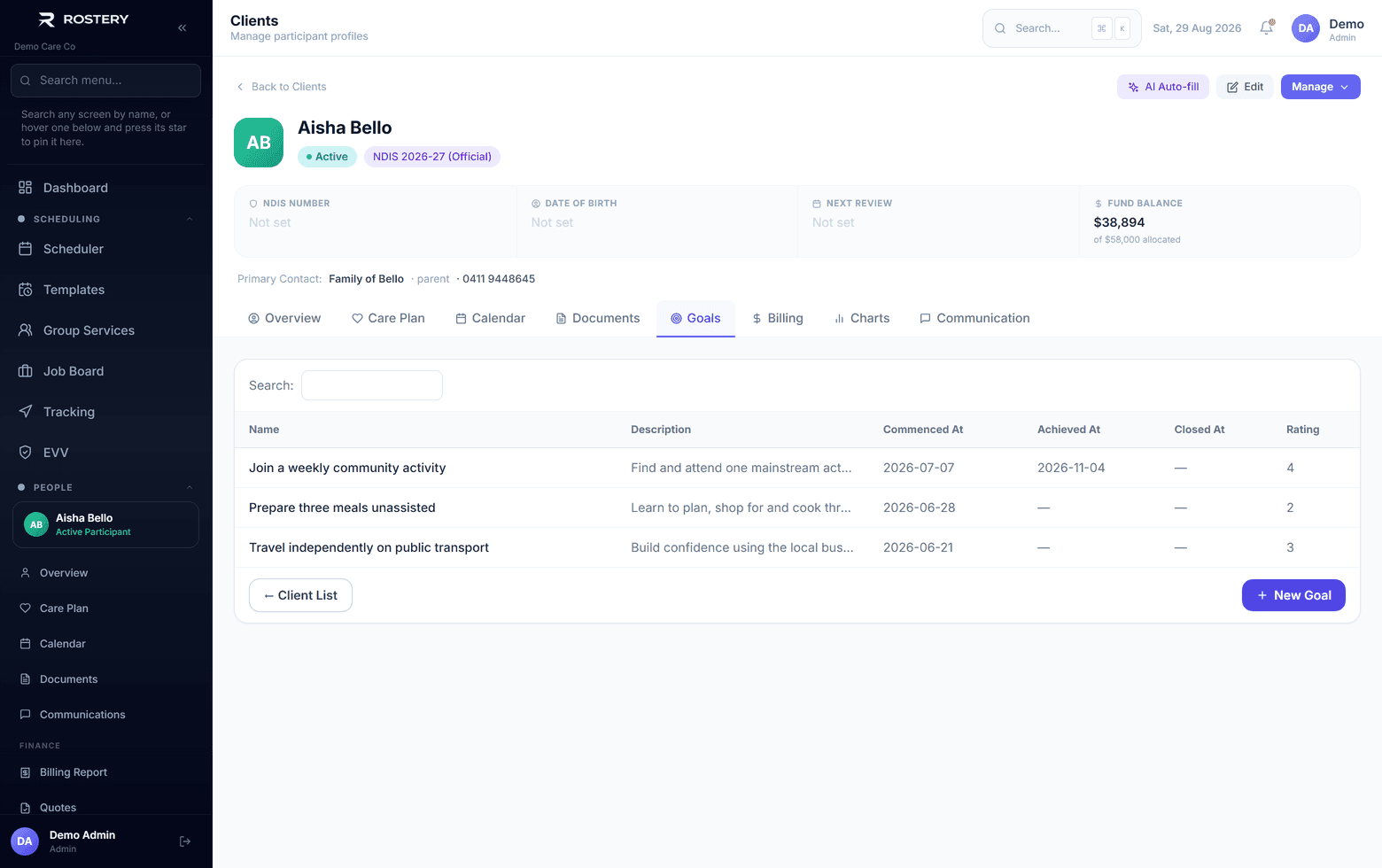
The Goals tab keeps a register of the participant's goals, each of which can be marked achieved or closed and rated from 1 to 5. Support workers tag these goals in their progress notes, in the Rostery app or on the web, so each note shows which goal it worked on. Outcome assessments rate eight life domains from 1 to 5, and the Care Plan Progress and Care Plan Activity reports bring it together.
How Rostery handles it

1

Care plans with goals

Plans with start and review dates and a status, and goals with a category, target date, status and progress in 25% steps.

2

Draft with AI

On Growth and above, AI drafts a care plan from the participant's details for you to review and edit before saving.

3

Goals in progress notes

Workers tag goals from the participant's goal register when they write a note, in the Rostery app or on the web.

4

Outcomes and reports

Outcome assessments across eight domains, overdue review flags, and the Care Plan Progress and Activity reports.

See Care Plans & Goals in action

Goals with baseline, measure and progress recorded over time

Who uses it

Coordinators and team leaders

Write plans and goals, and keep reviews on time.

Support workers

Tag the goals they worked on in each progress note.

Managers

See progress across participants in the care plan reports.

Plans that stay current

  • Every participant has an active plan
  • Every goal has a target date
  • Review dates are set and watched
  • Workers tag goals in their notes
  • Progress is updated after each review

Set up a care plan in four steps

  1. 1

    Open the Care plan tab

    On the participant's profile.

  2. 2

    Create the plan

    Or draft it with AI on Growth and above.

  3. 3

    Add goals

    With a category, target date and starting progress.

  4. 4

    Set the review date

    Rostery flags the plan once it passes.

See Care Plans & Goals on your own data

A guided demo with your participants, staff and price book. No obligation.

Book a Demo

Care Plans & Goals: questions

Yes. Workers tag goals from the participant's goal register when they write a note.

Ready when you are

Ready to transform your NDIS operations?

See Rostery running on your own rosters, funding and award rules — not a canned tour.

Guided walkthroughYour own dataNo obligation

No setup fees · No obligation · Australian data storage