Rostery
PlatformWeb App (Admin Platform)⭐ Core

Rostery Web App — NDIS Admin Platform

Rostering, participants, staff, timesheets, billing, reports and compliance in the browser, on the same data your workers use.

  • Everything in the browser
  • The same data as the app
  • Role-based access
  • Portals for others
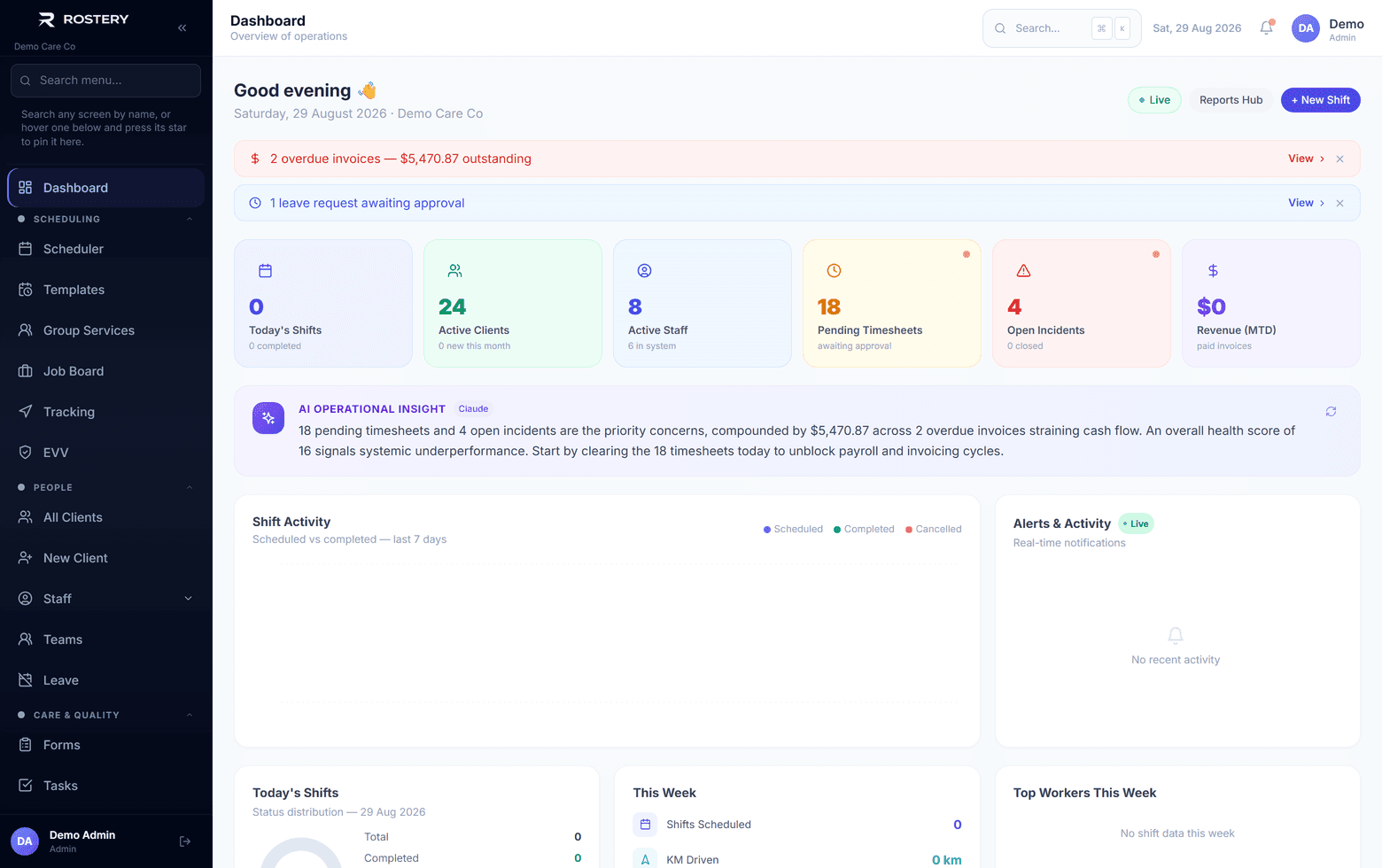
The operations dashboard — what needs attention today

What the office runs every week

Each of these used to be a different tool.

The roster

Building it, changing it and filling gaps.

People

Participants, staff and their records.

Time and pay

Approving timesheets and sending pay.

Billing

Invoices, claims and payments.

Compliance

Incidents, documents and audits.

Reporting

The numbers managers and boards ask for.

The office needs the whole picture: the roster, the participants, the staff, the money and the compliance. The Rostery web app puts it in one place, in the browser, with nothing to install.

How the Rostery web app works

The web app covers the scheduler, participants, staff, timesheets, invoices, financials, more than 50 reports, incidents, compliance, leave, the Job Board, messages and mail, and settings, with medications, forms, service agreements, SIL and group services, facilities, fleet and live tracking depending on your plan. It also hosts the portals families, plan-managed participants and providers sign in to.

It works on the same data as the Rostery app, so a shift change in the office reaches the worker's phone by push within a minute or so, and a worker's clock-in shows on the live map as it happens. What each person can see and do is set by their role.
What the web app covers

1

Operations

Scheduler, Job Board, templates, leave, messages and mail.

2

People

Participants, staff, compliance, documents and teams.

3

Money

Timesheets, invoices, financials, payroll sends and accounting sync.

4

Oversight

Reports, incidents, live tracking and the activity log.

See Web App (Admin Platform) in action

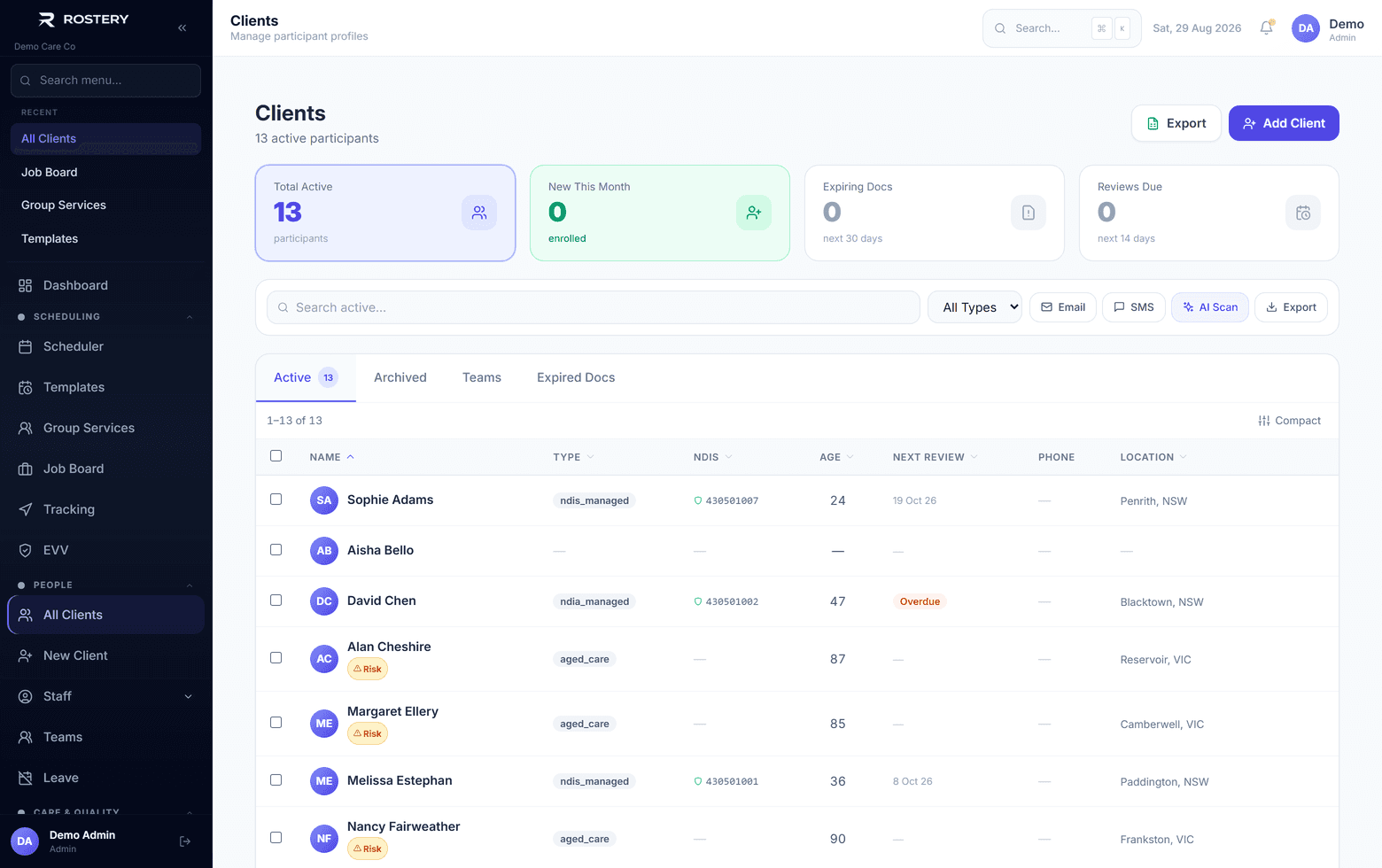
Participants, with expiring documents and reviews due
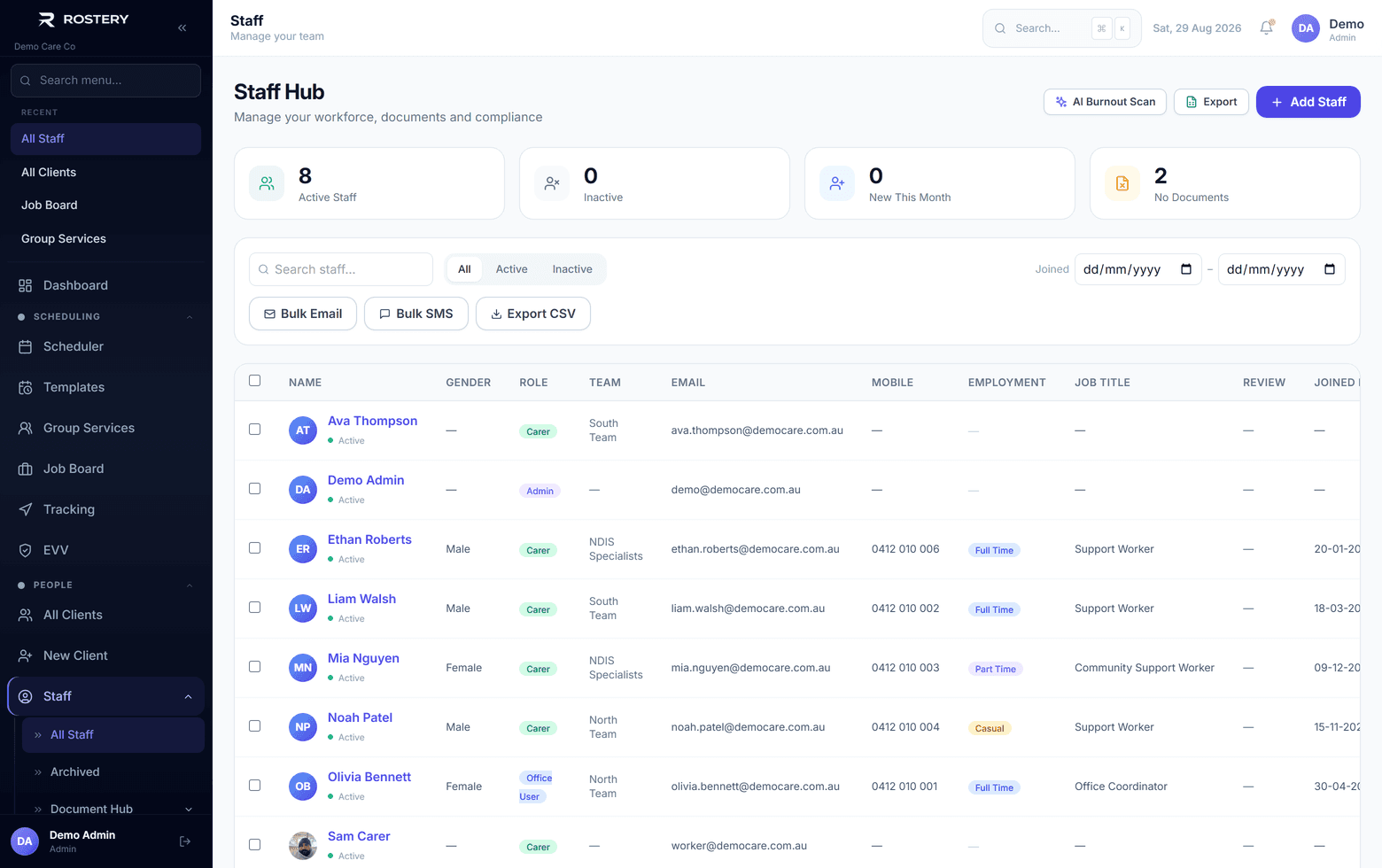
Staff directory with teams, employment basis and roles
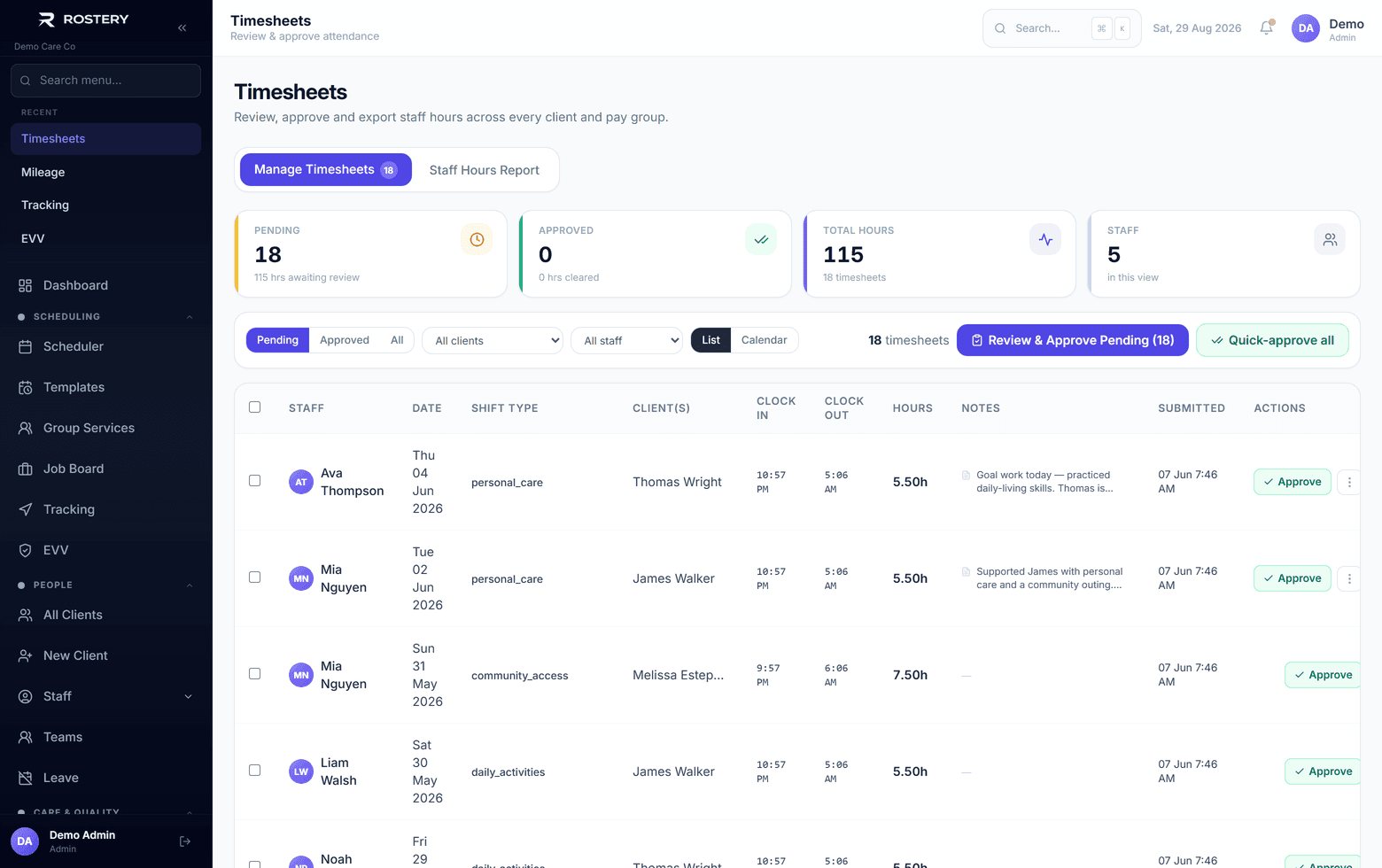
Timesheets reviewed and approved before pay

Who uses it

Rostering and operations

Build the roster and keep the day running.

Finance

Timesheets, billing and pay.

Managers and owners

Reports, compliance and settings.

Setting up the web app

  • Give each person the role that matches their job
  • Turn on two-factor sign-in for administrators
  • Switch on the modules your plan includes
  • Import your participants and staff

Get started in four steps

  1. 1

    Book a demo

    See it on your own kind of data.

  2. 2

    Import your data

    Participants, staff and shifts from spreadsheets.

  3. 3

    Set roles

    For each person in the office.

  4. 4

    Start rostering

    And invite workers to the app.

See Web App (Admin Platform) on your own data

A guided demo with your participants, staff and price book. No obligation.

Book a Demo

Web App (Admin Platform): questions

No. The web app runs in the browser.

Ready when you are

Ready to transform your NDIS operations?

See Rostery running on your own rosters, funding and award rules — not a canned tour.

Guided walkthroughYour own dataNo obligation

No setup fees · No obligation · Australian data storage