
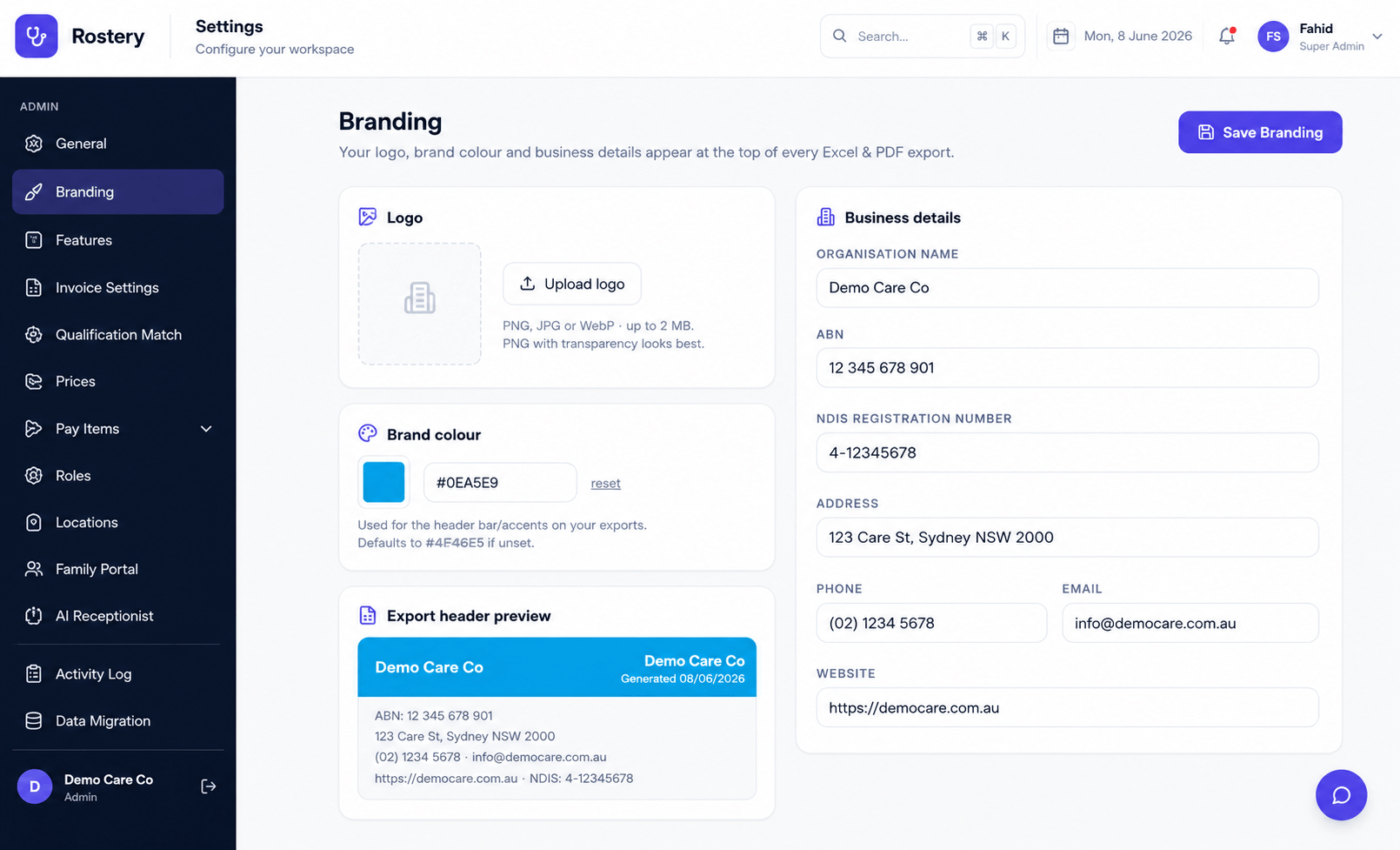
The reports and exports you send to funders, families, boards and auditors represent your organisation. Per-Org Branding makes sure they look the part, automatically, without anyone formatting documents by hand.
How it works
In Settings, upload your logo, choose your brand colour, and enter your business details — ABN, address, phone and NDIS registration number. Rostery stores these against your organisation and applies them to the letterhead of every branded Excel and PDF export you generate from then on.
Because branding is org-scoped, multi-org operators keep a distinct identity for each entity: every organisation's exports carry its own logo, colour and details, not a shared generic template.
Why it matters for NDIS providers
Professional, on-brand documents build credibility with funders, families and regulators — and save your team the tedium of pasting logos into spreadsheets. Including your ABN and NDIS registration number on exports also makes them clearer and more official.
- Consistent identity: every export looks like it came from your organisation.
- Set once, applied everywhere: configure branding in Settings and forget it.
- Multi-org friendly: each entity keeps its own branding.
What's included
- Your logo on every export. Upload your logo once and it appears on all branded Excel and PDF exports.
- Brand colour applied. Set your brand colour for a consistent, professional look.
- Business details included. ABN, address, phone and NDIS registration number appear on the letterhead.
- Set once in Settings. Configure branding once and it applies automatically going forward.
- Org-scoped. In multi-org setups, each entity keeps its own distinct branding.
Who it's for
Per-Org Branding & Branded Exports suits Australian NDIS, disability and aged-care providers of every size — from solo coordinators to multi-site organisations running multiple registered entities. Reporting teams, support workers and managers all work from the same live data across the Rostery web dashboard and the carer mobile app, so nothing falls through the cracks between the office and the field.
Getting started
Per-Org Branding & Branded Exports is included in your Rostery plan and works the moment your data is in — there's no separate module to buy or set up. Start a free trial to try it on your own workflows, and use Rostery's "Smart Switch" data migration to bring your existing clients, staff, shifts and notes across from your current software in minutes. Our team can walk you through your specific participant types, funding mix and rostering complexity in a quick demo.